1.5 x 3 Thermal Labels: How to Choose the Right Roll in 2026
19th Oct 2026
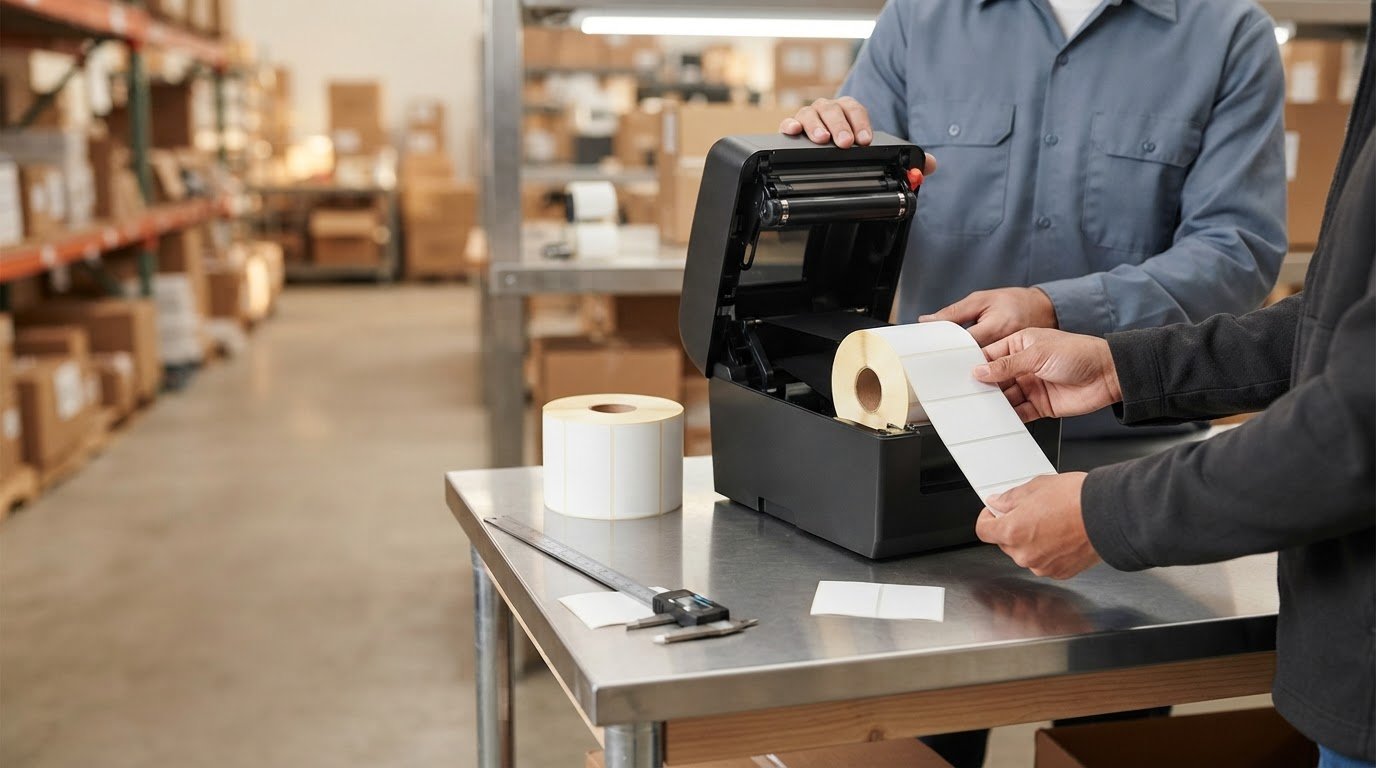
Could a roll marked 3 x 1.5 fit a job calling for 1.5 x 3 thermal labels? The dimensions may describe the same label turned a different way, but orientation on the roll affects how it feeds and prints. Focusing only on the size can lead you to miss details that determine whether a roll fits your printer.
Before ordering, match the label orientation and print method to your application and printer. Direct thermal labels use heat-sensitive stock and no ribbon. Thermal transfer labels need a compatible ribbon. The roll’s core, outer diameter, and sensing style also affect compatibility. If one of these details is wrong, the labels may not load or print as expected.
This guide explains how to choose 1.5 x 3 thermal labels: how to read dimension listings, select direct thermal or thermal transfer stock, and compare roll details with your printer’s requirements. Use these checks to narrow down the right labels and ribbon for your setup before ordering.
Key Takeaways
- Listings for 1.5 x 3 thermal labels may describe dimensions in different orientations. Check how the seller defines width and length.
- Compare your printer’s usable width, roll capacity, sensing, and media profile before ordering. Label size alone doesn’t establish compatibility.
- Choose label face stock and adhesive to suit the application surface, handling, and expected exposure.
- Gather your printer model, print method, roll dimensions, and application details to narrow down suitable thermal labels and ribbons.
What Do 1.5 x 3 Thermal Labels Measure, and Which Way Is the Label Oriented?
Thermal labels are roll media printed when a printer applies heat to create text, graphics, or barcodes. Depending on the print method, the heat acts directly on heat-sensitive label stock or transfers ink from a ribbon. For a broader overview of thermal printing technology, including these two approaches, see the linked reference.
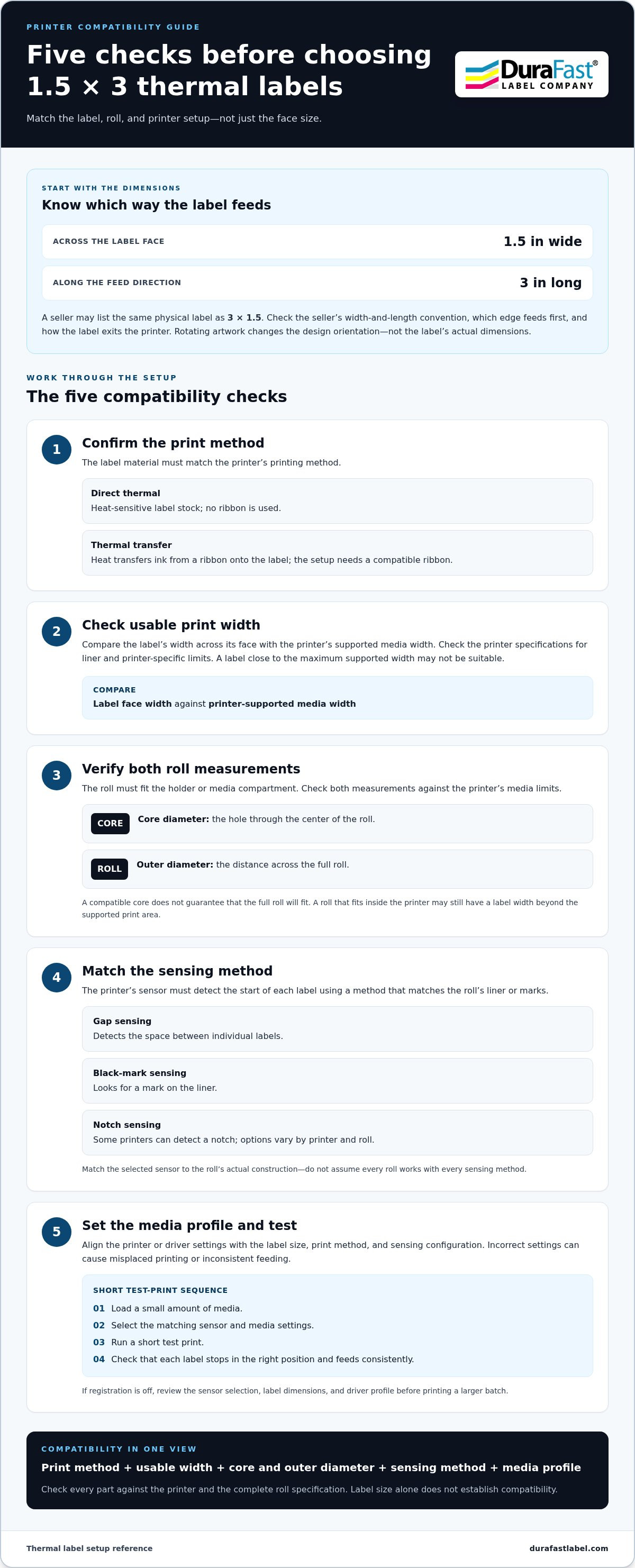
A size written as 1.5 x 3 usually means 1.5 inches across the label face and 3 inches along its length. Sellers may list the same physical label as 3 x 1.5, particularly when dimensions are presented in a different order. Don’t assume the first number always means width. Check the seller’s measurement convention and product specifications. When comparing direct thermal labels, check the listed dimensions along with the roll and printer details.
Simple measurement guide, not to scale
Across the label face: 1.5 in wide
┌──────────────┐
│ │ ← Label face
│ │
└──────────────┘
Feed direction ↓ Label length: 3 in
How to read 1.5 x 3 label dimensions
Width is the measurement across the label as it travels through the printer. Length is the measurement in the direction the roll feeds. Rotating your artwork changes how the design sits on the label, not the label’s actual width or length. If the template and printer orientation don’t match, a barcode or product name may print sideways.
Before ordering, compare the stated dimensions with a physical label sample or product specification. Check which edge feeds first and how the label is oriented when it exits the printer. This helps resolve confusing 1.5 x 3 and 3 x 1.5 listings before they cause a layout or supply mismatch.
What information belongs on a 1.5 x 3 label?
This format can suit focused label content, such as a short product identifier, a brief line of text, and a barcode. The usable space depends on the layout and any margins required by your printer or label design software.
- Keep wording concise so it’s easy to scan at a glance.
- Leave enough clear space around barcodes and other printed elements.
- Match font size and barcode dimensions to the printer’s resolution and the intended scanning distance.
Label size alone doesn’t determine legibility. Content, font size, print resolution, and layout all matter. Test the design on the intended media, then confirm that the text is readable and the barcode scans reliably before a full print run. If the design doesn’t fit clearly, adjust the layout or simplify its contents.
How to Match 1.5 x 3 Thermal Labels to Your Printer
A label’s face size is only one part of printer compatibility. Before buying 1.5 x 3 thermal labels, compare your printer’s media requirements with the complete roll specification. Thermal label printers are designed for different media and roll setups, so work through these details before choosing a roll.
- Confirm the print method. Identify whether the printer uses direct thermal media or thermal transfer stock with a ribbon. The label material must suit the method. A thermal transfer setup also needs a compatible ribbon.
- Check usable print width. Compare the label’s width across the face with the printer’s supported media width. Account for the liner and any printer-specific limits in its specifications. A label close to the maximum width may not be suitable.
- Verify roll capacity. Check the roll holder or media compartment for its supported core diameter and maximum outer diameter. Core diameter is the hole through the center of the roll; outer diameter is the distance across the full roll. Both need to fit.
- Match the sensing method. Check how the printer detects the start of each label and whether that method matches the roll’s liner or marks.
- Set the media profile. Align the printer or driver settings with the label size, print method, and sensing configuration. Incorrect settings can cause misplaced printing or inconsistent feeding.
Check print width, roll core, and outer diameter
These are separate fit checks. A roll can have a compatible core but be too large for the compartment. It can also fit inside the printer while its label width exceeds the supported print area. Compare the printer manual’s media limits with the roll specification. If you have a sample, measure the core, full roll diameter, and label face.
Confirm printer sensing and media settings
Gap sensing detects the space between individual labels; black-mark sensing looks for a mark on the liner. Some printers can also detect a notch, but sensing options vary by printer and roll. Match the selected sensor to the roll’s actual construction rather than assuming one roll works with every sensing method.
Load a small amount of media, select the corresponding sensor and media settings, and run a short test print. Check that each label stops in the right position and feeds consistently. If registration is off, review the sensor selection, label dimensions, and driver profile before printing a larger batch.
Compare your setup with DuraFast’s label and printing supplies, including thermal labels and ribbons.
Direct Thermal or Thermal Transfer: Which 1.5 x 3 Label Type Fits?
The right print method depends on your printer and how you’ll use the labels. Direct thermal printing applies heat to heat-sensitive media, so it doesn’t use a ribbon. Thermal transfer printing uses heat to move ink from a ribbon onto the label. Both methods can produce labels in this size, but their stocks and printing supplies aren’t interchangeable. Start with your printer’s print method, then choose matching media.
| Factor | Direct thermal | Thermal transfer |
|---|---|---|
| Ribbon use | No ribbon. The label stock reacts to heat. | Uses a ribbon matched to the label face stock. |
| Workflow | A simpler consumables setup, with label rolls but no ribbon to load. | Requires loading and replacing both label rolls and ribbon. |
| Media matching | Choose heat-sensitive stock designed for the printer and application. | Match the ribbon to the label material and printer. |
The dimensions alone don’t tell you which print method a roll supports. A correctly sized roll can still be the wrong media for your printer. Check the printer specifications and the label’s stated print method before ordering.
When direct thermal labels are a practical fit
Choose direct thermal when you want a straightforward workflow without a separate ribbon supply. The printer creates the image directly on heat-sensitive stock, making this method a practical choice when the media and print method suit the job. Explore direct thermal labels by print method, not size alone. Stock performance depends on its material and the conditions it encounters during use, so consider the application rather than assuming all direct thermal labels behave the same.
When thermal transfer labels and ribbons make sense
Thermal transfer is the right match when your printer uses a ribbon and the label face stock is designed for that process. The printer, ribbon, and label work together: the ribbon type must suit the face material, and the printer must support the setup. Pair thermal transfer labels with DuraFast thermal transfer ribbons as you compare supplies. Don’t choose a ribbon based on label dimensions alone.
For 1.5 x 3 thermal labels, decide on the print method before comparing roll options. If you’re also considering a printer, compare its supported media and roll setup with the label requirements. DuraFast supplies thermal labels and ribbons for in-house label printing.
A 1.5 x 3 Thermal Label Buying Checklist for Your Application
The right roll depends on more than its dimensions. Before ordering 1.5 x 3 thermal labels, define what the label must communicate, where it will be applied, and what it will encounter during use. This application-first checklist helps you compare label materials and settings without assuming one stock or adhesive suits every job.
- Label content: List the required text, product identifiers, and barcode information. Decide what needs to stand out and what can be left off.
- Application surface: Identify what the label will stick to, such as a package, container, or product. Consider the surface condition and how the item is handled.
- Exposure: Note the conditions labels may encounter during storage, transport, or use, including contact with light, heat, moisture, or friction. Match the stock to those conditions rather than relying on a general material description.
- Print method: Confirm whether the printer uses direct thermal media or thermal transfer labels and ribbon. The material must suit the print method.
- Expected volume: Estimate how often you’ll print and apply labels. If you print frequently, roll changes and application speed may be important workflow considerations.
Choose material and adhesive for the job
Start with the surface and handling conditions. Consider whether the label goes on a smooth package, a curved container, or another surface, and whether it will be handled soon after application. Paper and film face stocks are different options, but neither is automatically right for every use. Adhesive suitability also depends on the surface and application conditions, so assess the complete label construction rather than choosing by face material alone.
Think through the label’s full journey. A label applied to a clean surface and handled gently may have different needs from one applied during a busy packing workflow. Keep those details in mind when comparing stocks. Avoid relying on a broad claim such as “all-purpose” if your application has specific surface or exposure demands.
Check artwork, barcode, and operating workflow
Keep essential text and barcode content inside the printable area, with enough clear space around each element for readability. Then test the final artwork at actual print size. A screen preview can’t show exactly how small text or a barcode will look on the finished label.
Run a sample through the printer and check three things: whether the layout is positioned correctly, whether the barcode scans with the equipment used in your workflow, and whether the labels register and feed consistently. Adjust the design or printer settings if needed before routine production.
Consider how labels will be applied, too. Hand application may call for a different workflow than printing and applying labels at a packing station. Account for print volume, the time needed to replace rolls, and how operators handle each label. These practical details help you choose supplies that fit the task as well as the printer.
For labels and ribbons, start with the print method, label surface, and application conditions. Browse DuraFast’s label supplies with those requirements in mind.
Get Help Matching 1.5 x 3 Thermal Labels to Your Setup
Choosing a compatible roll is easier when you have the key details together. Before selecting 1.5 x 3 thermal labels, gather information about your printer, print method, roll dimensions, and application. These details help narrow the options and prevent you from relying on label size alone to judge fit.
What to include when asking about label compatibility
Use this checklist to describe your setup clearly. If a specification is unknown, note that rather than guessing. Your printer manual or current roll label may include the details.
- Printer make and model: Share the full model name, plus any relevant configuration information. Printer capabilities vary, so the model is a useful starting point.
- Print method: State whether the printer is set up for direct thermal printing or thermal transfer. If it uses a ribbon, include that detail so the label stock and ribbon can be considered together.
- Roll dimensions: Provide label width and length, core diameter, and the maximum outer diameter your printer can accept. Include feed orientation or sensing details if you have them.
- Application: Describe what the label identifies, the surface it will go on, and how it will be handled or exposed during use. This helps define the material and adhesive requirements.
Be specific about dimensions. “Three-inch label” can refer to different measurements, so clarify which measurement is the label face, which is its length, and whether the roll’s outer diameter is a printer limit or a measurement of your current roll. A sample can help explain the setup, but compare its dimensions with the printer’s requirements as well.
Take the next step with DuraFast
DuraFast supplies thermal labels and thermal transfer ribbons, along with label printing equipment. Its thermal label and ribbon categories help you compare supplies by print method and type. Use the details above to identify what you need, then review the available options against your printer and application.
Ready to compare supplies? Contact DuraFast about your label requirements and include your printer model, print method, roll dimensions, and application.
Make Your Next Label Order Easier to Repeat
Turn your final selection into a simple reference for the next reorder. Record the printer model, confirmed roll dimensions, print method, sensing setup, and intended use together. Keep the product specification or a sample with that note. This gives your team a consistent starting point and makes it easier to spot a change in printer, application, or supply requirements before ordering again.
For 1.5 x 3 thermal labels, a few clear details can prevent a mismatch from becoming a recurring workflow problem. If your setup has changed or you’re comparing label and ribbon options, use the printer and application details to guide your selection.
Contact DuraFast to discuss your printer and label requirements, and take the next step with a clear record of your setup.
Frequently Asked Questions
Are 1.5 x 3 thermal labels the same as 3 x 1.5 labels?
They may refer to the same label rotated, but the listing alone doesn’t prove it. Check the product drawing or specification to see which measurement is across the face and which follows the feed direction. For example, a template designed for a 3-inch-wide label may not print correctly on a roll that feeds with the 1.5-inch edge across the printer, even if the stated dimensions match when reversed.
How do I know if 1.5 x 3 thermal labels fit my printer?
Check the printer’s media specifications against the complete roll details, not just the label face. Confirm the supported width, print method, core size, maximum roll diameter, and sensing setup. Then check the driver or label software for a matching media profile. A physical sample can help you verify loading and feed direction before ordering a larger quantity.
Can I use 1.5 x 3 labels in a direct thermal printer?
Yes, if the labels are direct thermal stock and the roll dimensions and setup suit the printer. A roll with the right face size but the wrong print method isn’t a suitable substitute. Check the label specification for the intended printing process. After loading a sample, print a test with your actual design to check placement, darkness, and feed before regular production.
Do thermal transfer labels need a ribbon?
Yes. Thermal transfer printing uses a ribbon, and the ribbon needs to suit both the label face material and the printer. When replacing supplies, note the current ribbon type and label stock rather than relying on roll size as a guide. Test the selected combination with representative text and barcodes before changing the full workflow.
What core size do 1.5 x 3 thermal label rolls use?
There isn’t one universal core size for 1.5 x 3 thermal label rolls. Core dimensions depend on the roll configuration, and your printer may use a holder or adapter designed for particular cores. Check the printer manual and roll specification for the core’s inside diameter. Also compare the roll’s outer diameter with the space available in the printer, since those are separate fit requirements.
Can I print barcodes on 1.5 x 3 thermal labels?
Yes, provided the barcode fits the printable area and prints clearly enough for your scanner and workflow. Leave clear space around the code, avoid placing it across a label edge, and account for any text or graphics sharing the space. Print a sample at actual size, then scan it with the equipment used in the intended setting. Adjust the layout if it doesn’t scan reliably.
What should I check before ordering thermal label rolls?
Before ordering, record the printer model, print method, label width and length, core diameter, maximum roll diameter, and sensing method. Confirm the seller’s dimension convention and note the label surface and handling conditions. If you’ll print barcodes, test a sample with the intended layout and scanner. Keeping these details together makes it easier to compare specifications and repeat the same setup later.