
Epson ColorWorks: The Complete Guide to On-Demand Color Label Printing in 2026
30th May 2026
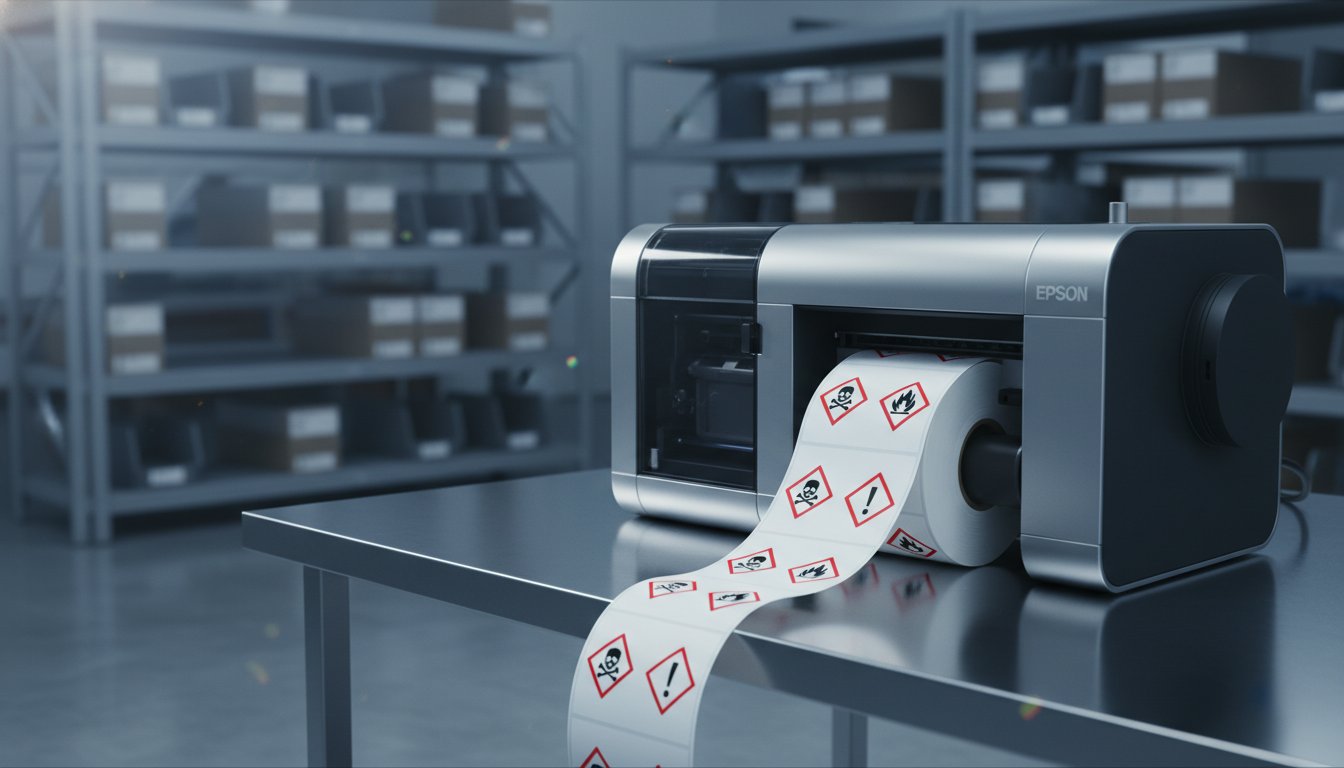
Did you know that OSHA HazCom-related violations recently jumped by 19%, resulting in over $50 million in potential penalties? It's a staggering figure that highlights the growing pressure on manufacturers to maintain perfect compliance. You likely feel the frustration of managing high minimum order quantities and watching thousands of pre-printed labels go to waste every time a regulation shifts. It's exhausting to wait weeks for a print house only to receive a batch that's already obsolete.
We understand that you need a labeling system that's as fast and flexible as your production line. This guide explores how the epson colorworks series eliminates inventory waste and puts you back in control of your branding and compliance. You'll discover how to meet the May 19, 2026, GHS deadline for substances while leveraging color to drive better purchase decisions for 85% of buyers. We'll break down the specific capabilities of the CW-C4000, C6000A, and the high-volume C8000 to help you choose the most cost-effective solution for your facility.
Key Takeaways
- Learn how PrecisionCore TFP printhead technology delivers industrial-grade speed and razor-sharp color for every label.
- Compare the epson colorworks lineup to determine whether the compact C4000 or the high-volume C8000 best fits your production scale.
- Understand the specific testing requirements for BS5609 certification to ensure your chemical labels remain legible during maritime transport.
- Identify the "hidden taxes" of traditional printing by calculating the total cost of ownership, including storage and obsolete inventory.
- Discover why matching your hardware with specialized consumables like DuraFast Matte Chemical Labels is the secret to achieving maximum durability.
Table of Contents
What is Epson ColorWorks and Why Does On-Demand Printing Matter?
Epson ColorWorks represents a fundamental shift in how modern businesses manage their labeling workflows. These aren't standard office printers. They are industrial-grade inkjet machines built for high-speed, full-color production. The heart of the epson colorworks series is the PrecisionCore TFP printhead technology. It delivers consistent, sharp results even at maximum speeds. This ensures your branding looks professional while your barcodes remain perfectly scannable. You don't have to compromise between speed and quality anymore.
Why does on-demand printing matter so much? Traditional outsourcing is a slow, rigid process. Waiting two weeks for a print house to deliver a batch is a major risk to your agility. If a regulation changes or a typo is discovered, you're stuck with thousands of useless labels. On-demand printing removes this "hidden tax" of waste. You can print exactly what you need, when you need it. There are no plate costs and no setup times. Whether you need a single prototype or a run of 5,000, the cost per label remains predictable and low. This flexibility transforms your production line into a lean, responsive operation.
The Evolution of the ColorWorks Series
The series has evolved significantly from the legacy C3500 model. The current powerhouse models, like the C6000 and C8000, offer incredible reliability for 24/7 environments. By 2026, technology has improved to offer better ink efficiency and significantly longer printhead longevity. One of the most important features is the use of pigment ink. This is the non-negotiable standard for industrial durability. Pigment ink binds to the media to resist water, chemicals, and UV fading. Epson has leveraged its history as a global technology leader to ensure these machines survive the rigors of a warehouse environment while maintaining vibrant color output.
Who Benefits Most from In-House Color Labels?
Certain sectors see an immediate impact on their bottom line when they bring printing in-house. These include:
-
Food and Beverage: Companies manage seasonal SKUs and update nutritional panels instantly. This eliminates the need to store massive amounts of pre-printed variations that might go to waste.
-
Chemical Manufacturing: Precision is mandatory for safety. Printing GHS-compliant labels on the fly ensures you meet the May 19, 2026, deadline for substance re-classification without pausing production.
-
E-commerce: High-volume shippers use "Label Boost" software to add full-color branding, QR codes, or promotional offers directly to their shipping labels.
This shift to in-house production doesn't just save money on physical materials. It gives you total control over your timeline. You no longer have to plan your product launches around a third-party printer's schedule. When you own the process, you own the speed of your business.
Choosing Your Model: C4000, C6000, and C8000 Compared
Selecting the right hardware for your facility depends on your daily label volume and the specific environment where the printer will live. We use a "Good, Better, Best" framework to help you decide. The epson colorworks lineup offers a solution for every scale, from small boutique shops to massive 24/7 manufacturing plants. Choosing correctly ensures you don't overpay for capacity you don't need or bottleneck your production with a machine that's too slow.
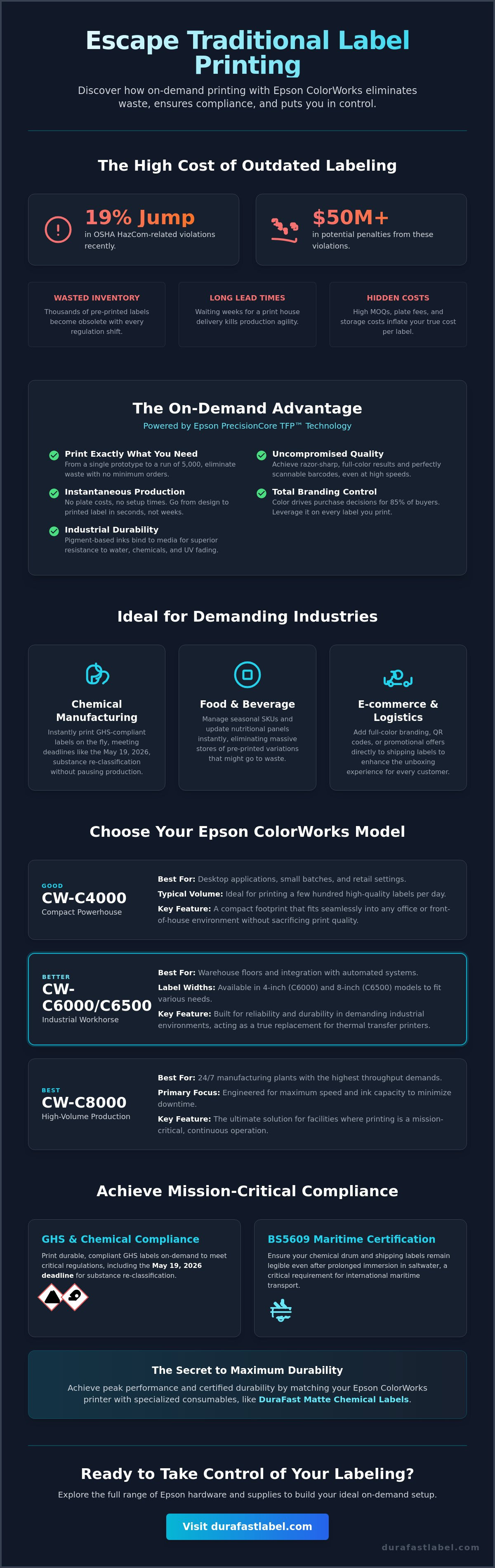
The CW-C4000 is our "Good" entry point. It's a compact powerhouse designed for desktop applications and small batches. If you're printing a few hundred labels a day in an office or retail setting, this is your best bet. Moving up to the "Better" tier, the CW-C6000 series acts as the true industrial workhorse. It comes in two widths: the 4-inch C6000 and the 8-inch C6500. These models are built for the warehouse floor and integrate easily with existing automated systems. For those with the highest demands, the CW-C8000 is the "Best" choice. It's engineered for high-volume, 24/7 production environments where speed and ink capacity are the top priorities.
The industry shift toward on-demand color label printing has made these tools essential for staying competitive. You can find the full range of Epson hardware and supplies to build your ideal setup.
Matte vs. Gloss Versions: The Critical Decision
One of the most important choices you'll make happens before you even plug the printer in. You must choose between a Matte or Gloss ink version. This is a permanent decision because the internal plumbing of the printer is set for one specific ink type. You cannot swap them later. Matte models are the gold standard for GHS and BS5609 compliance. They produce smudge-resistant labels that survive harsh chemicals. Gloss models are essential if you need a premium retail look for cosmetics or high-end food packaging where vibrant colors and a shiny finish drive sales.
Peel-and-Present vs. Auto-Cutter
You also need to consider how your labels will be applied. The "A" models feature an Auto-Cutter, which is perfect for batch printing where you'll wind the labels onto a roll for later use. If you're applying labels one-by-one as they come off the printer, choose the "P" or Peel-and-Present models. These machines automatically peel the backing away, presenting the label ready for immediate application. For high-speed roll-to-roll production, you can easily integrate these printers with external rewinders to keep your line moving without interruption.
Achieving GHS Compliance and BS5609 Certification
With OSHA HazCom-related violations rising by 19% recently, staying compliant isn't just a legal hurdle; it's a financial necessity. The epson colorworks series is specifically engineered to handle the strict requirements of OSHA's Hazard Communication Standard (HCS). By May 19, 2026, manufacturers and distributors must re-classify substances and update their labels to align with GHS Revision 7. This isn't a task you can outsource easily when your inventory or regulations change. You need the ability to print GHS-compliant pictograms and hazard statements in full color, right on the production floor, to avoid the $50 million in potential penalties the industry faced last year.
Compliance goes beyond the ink on the page. If you ship chemicals via marine transport, BS5609 certification is mandatory for International Maritime Dangerous Goods (IMDG) certification. This international standard ensures your labels can survive a three-month salt-water submersion test without losing adhesion or legibility. Achieving this requires a matched system. You must pair Epson's industrial pigment ink with specialized media like DuraFast Matte Chemical Labels. Without this synergy, your labels might peel or fade in harsh environments, leading to rejected shipments and costly compliance anxiety.
The Chemistry of Durability
Why does the epson colorworks line excel in these environments? It comes down to pigment chemistry. Unlike traditional dye-based inks found in office printers that soak into fibers and bleed when wet, pigment ink particles sit on the surface of the media. This creates a robust bond that is naturally resistant to UV light and chemical exposure. BS5609 Section 3 compliance requires that the printed image itself passes specific abrasion and weathering tests to ensure it remains legible after prolonged exposure to salt spray and sunlight.
Common Compliance Mistakes to Avoid
Don't make the mistake of using standard gloss media for chemical containers. Glossy finishes often fail BS5609 adhesion tests and are prone to smudging during rough warehouse handling. You need a matte finish designed to lock in pigment ink for a "smudge-proof" result. Another common pitfall is manual data entry. We suggest using BarTender Professional Software to automate your label designs. This ensures your hazard statements always match your Safety Data Sheets (SDS), eliminating the human error that often leads to regulatory fines.
Calculating the ROI of Switching to In-House Labeling
Many businesses make the mistake of focusing solely on the "Price Per Label" when comparing options. To see the real value of the epson colorworks series, you must look at the Total Cost of Ownership (TCO). While outsourcing might seem cheaper on a spreadsheet, it carries a heavy "hidden tax" that most companies overlook. This includes the cost of climate-controlled storage, the labor required to manage thousands of SKUs, and the inevitable waste that occurs when products are rebranded or discontinued.
Obsolescence is the silent profit killer in manufacturing. When you order 50,000 pre-printed labels to get a volume discount, you're betting that your design won't change for months. If a regulatory update or a marketing shift happens, those labels become expensive trash. With an in-house system, you print only what you need for today's production run. Epson’s built-in ink estimation utility tools allow you to predict exact costs before you hit print. This level of transparency helps you manage your margins with precision.
The Break-Even Point
How do you know when it's time to upgrade? Most facilities find their break-even point surprisingly quickly. Consider the math of your current operation. If you're paying for outsourced labels at a premium, switching to in-house production can often cut that per-unit cost significantly. Beyond the ink and media, you're gaining the value of "On-Demand" speed. During peak seasons or unexpected surges, you won't lose revenue because you're waiting on a delivery from a print house. You can calculate your potential savings with Epson ColorWorks and see how fast the hardware pays for itself.
Reducing Labor and Lead Times
In-house printing simplifies your supply chain from a five-step ordeal down to a single internal process. You no longer have to request quotes, approve proofs, wait for shipping, inspect arrivals, and store bulk inventory. This efficiency gain frees up your staff for more productive tasks. Additionally, tools like "Label Boost" software allow you to turn a standard shipping label into a marketing asset. By adding full-color coupons or QR codes to your existing labels, you increase customer engagement without adding a single extra step to your packaging line. Industry reports suggest that mid-sized manufacturers often see a complete return on investment within the first 12 months by eliminating the waste associated with pre-printed inventory.
Setting Up Your Epson ColorWorks Ecosystem with DuraFast
Buying a high-quality printer is only 50% of the solution. To achieve the industrial durability and professional finish we've discussed in previous sections, you need a fully integrated ecosystem. The epson colorworks series is a precision instrument that performs best when its hardware, software, and media are perfectly synchronized. If you treat the printer as a standalone purchase, you'll likely face inconsistent results or premature wear on your equipment. We help you build a complete workflow that removes the complexity from your labeling process and ensures your production line stays active.
Successful implementation starts with the right software. BarTender Professional Software is the industry standard for a reason. It offers native drivers specifically designed for Epson hardware, allowing for faster data processing and more accurate color reproduction. You can link your existing product databases directly to your label templates. This automation ensures that every GHS pictogram, barcode, and batch number is pulled directly from your records. It eliminates the risk of human error that often occurs during manual entry and keeps your facility compliant with the latest safety standards.
Selecting the Right Media
Your choice of material is critical to the longevity of your hardware. We offer a range of specialized options, including DuraFast Matte Chemical Labels for heavy industrial use and High-Gloss Inkjet Labels for premium retail packaging. Be careful with your selection; choosing the wrong label material or an incompatible third-party ribbon can cause adhesive bleed. This can lead to permanent damage to your PrecisionCore printhead. We recommend requesting a custom sample kit from DuraFast to test your specific designs on different substrates before you commit to a bulk order. This testing phase ensures the ink bonds correctly to the surface for maximum smudge resistance.
Ongoing Support and Supplies
A reliable production line requires smart inventory management. Beyond keeping ink cartridges in stock, you should always have a spare maintenance box on hand. This small component collects excess ink during cleaning cycles. If it fills up, your printer will stop until it's replaced, which can cause unnecessary downtime during a busy shift. The DuraFast advantage comes from our specialized knowledge in North American labeling standards. We've already done the heavy lifting of vetting products so you can focus on your core business. View our full Epson ColorWorks lineup and request a print sample today to start your transition to high-speed, in-house labeling.
Take Control of Your Labeling Future
Transitioning to an in-house system does more than just lower your per-label costs. It removes the friction of long lead times and the risk of obsolete inventory that often haunts traditional outsourcing. You've seen how the epson colorworks series transforms a complex production line into a lean, responsive operation. By pairing industrial-grade hardware with high-performance media, you ensure your facility remains ready for the May 2026 GHS updates while simultaneously improving your brand's visual appeal.
Success depends on choosing a partner that understands the chemistry behind the labels. As an Authorized Epson Partner, we specialize in GHS and BS5609 compliance through our own custom label media manufacturing. This ensures your printer and your substrates work in perfect harmony. Shop the Epson ColorWorks Series at DuraFast Label Company to find the ideal solution for your specific volume and durability needs. It's time to stop waiting for the print house and start printing on your own terms. Your more efficient warehouse is just one machine away.
Frequently Asked Questions
What is the difference between the Epson C6000A and C6000P?
The primary difference lies in how the printer handles the finished label. The C6000A features an integrated auto-cutter, which is ideal for batch printing where you need to cut individual labels or groups. The C6000P is a "peel-and-present" model designed for manual application. It automatically peels the label from the backing and waits for you to take it before printing the next one.
Can I use any inkjet labels with my Epson ColorWorks printer?
No, you must use inkjet-receptive media specifically treated for pigment inks. Using standard paper or non-coated labels will result in ink smearing because the pigment particles cannot bond to the surface. For industrial durability and GHS compliance, we recommend using matched media like DuraFast Matte Chemical Labels to ensure the ink stays locked in place.
How long does a set of Epson ColorWorks ink cartridges last?
Ink life depends entirely on your specific label design and the amount of color coverage you use. A simple barcode with a small color logo uses much less ink than a full-bleed, high-resolution product image. You can use the built-in epson colorworks utility tools to calculate an accurate estimate of ink consumption per 1,000 labels before you begin a production run.
Is the Epson ColorWorks C4000 fast enough for industrial use?
The C4000 is a compact powerhouse designed for low-to-mid volume industrial applications. It's fast enough for desktop production and on-demand shipping needs. However, if your facility requires thousands of labels per hour or operates on a 24/7 schedule, the higher-capacity C6000 or C8000 models are better suited for your volume requirements. For facilities that also utilize thermal printing for secondary tasks, sourcing specialized supplies from DymoOnline ensures that even your non-inkjet durable labels maintain a professional and long-lasting standard.
What software do I need to design labels for Epson ColorWorks?
BarTender Professional Software is the industry standard for designing and managing labels on these machines. It integrates directly with your existing databases to automate the placement of barcodes and GHS pictograms. While you can print from many standard design programs using Windows or Mac drivers, BarTender offers the most robust tools for maintaining regulatory compliance.
Are Epson ColorWorks labels waterproof?
Yes, your labels will be waterproof if you use Epson pigment inks paired with the correct synthetic media. This combination is designed to resist water, smudging, and fading. To achieve full BS5609 certification for marine transport, you must use specific matte media that has been tested to survive three months of seawater immersion without losing legibility.
What happens if the printhead on my ColorWorks printer clogs?
The epson colorworks series features automated maintenance cycles that keep the printhead clear. If you notice a drop in print quality, you can run a manual cleaning cycle from the printer's control panel. Using high-quality media and keeping a fresh maintenance box in the machine will prevent most debris buildup and ensure your printer stays operational.
Can I print barcodes with the Epson ColorWorks series?
Yes, these printers are excellent for producing high-contrast, scannable barcodes. The PrecisionCore technology ensures that ink droplets are placed with extreme accuracy, preventing the bleeding that can make barcodes unreadable. This precision allows you to print small, high-density codes that meet the strict scanning requirements of major retailers and logistics hubs.