Heat Shrink Label Maker: How to Choose the Right Setup in 2026
20th Oct 2026
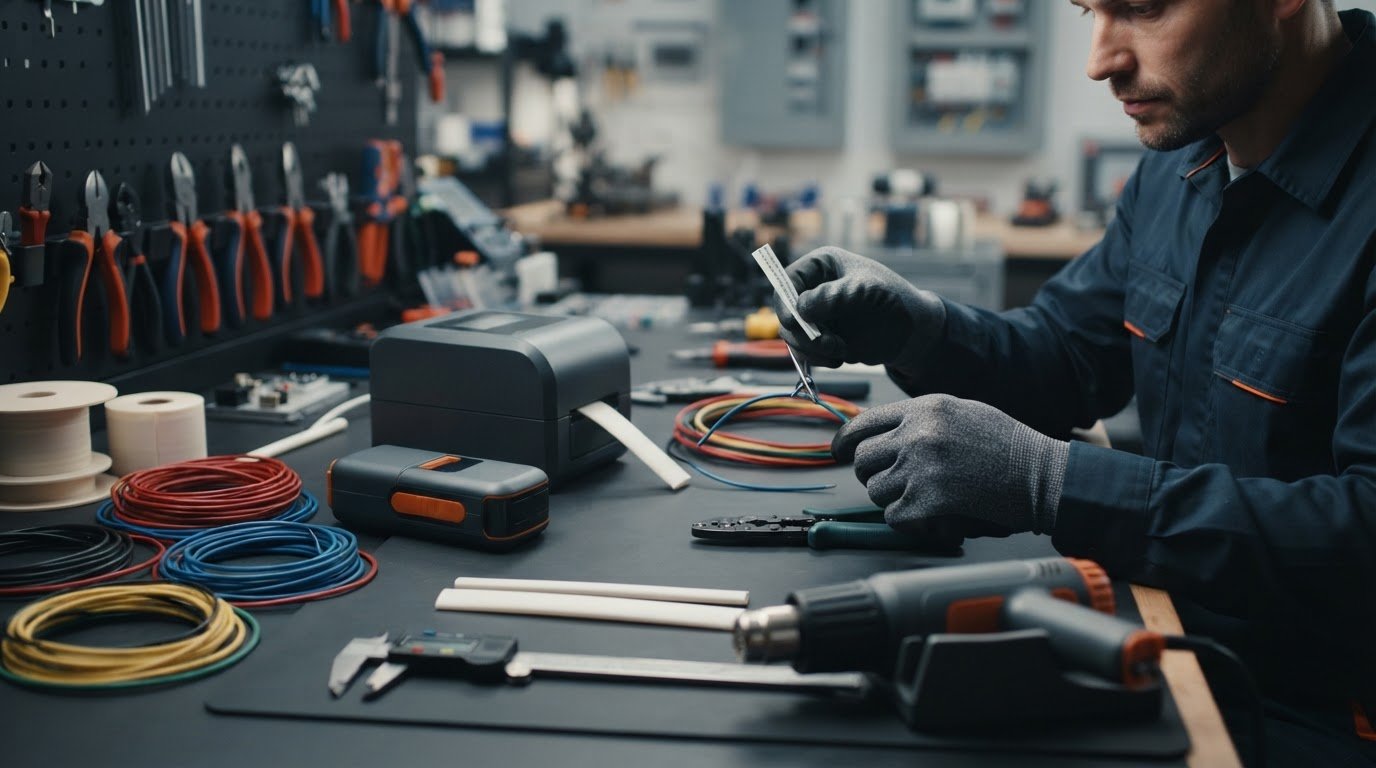
A heat shrink label maker isn’t automatically right for every wiring task. A printer and tube may look like a good match yet still be incompatible. Tubing that doesn’t fit the wire can leave the finished marker loose or hard to read.
To choose a setup that’s straightforward to use and produces clear wire markers, match the printer, heat-shrink media, and wire size before comparing features. This helps you decide whether a handheld maker suits occasional jobs or a dedicated printer better fits repeat labeling.
This guide compares printer and tubing options, explains what to check for compatibility, and shows how to choose tubing for the wires you need to identify. You’ll also learn the basic workflow: print on compatible tubing, position it on the wire, then apply heat according to the tubing instructions. By the end, you’ll have a practical way to assess whether the printer, media, and workflow fit your needs.
Key Takeaways
- Choose a heat shrink label maker by matching the printer, approved media, and wire you need to mark.
- Compare handheld makers, dedicated tube printers, and broader label-printer setups based on workflow, portability, and labeling volume.
- Measure the wire and consider sleeve fit before choosing tubing. A shared brand name alone doesn’t establish compatibility.
- Review compatible media and replenishment needs to ensure the setup suits your expected labeling work.
- Explore Dymo heat-shrink labels, MAX Letatwin tubes and tapes, and Epson LabelWorks printers and PX tapes as you compare options.
What Is a Heat Shrink Label Maker and When to Use It?
A heat shrink label maker is a printing setup for marking shrinkable sleeves or tubes. It combines a printer that supports the selected media with printable tubing and a separate heat-application step. The printed sleeve fits around a wire or cable to help identify conductors in a bundle or trace a cable during installation and maintenance. Because the printer is only one part of the setup, choose compatible media at the same time as the device.
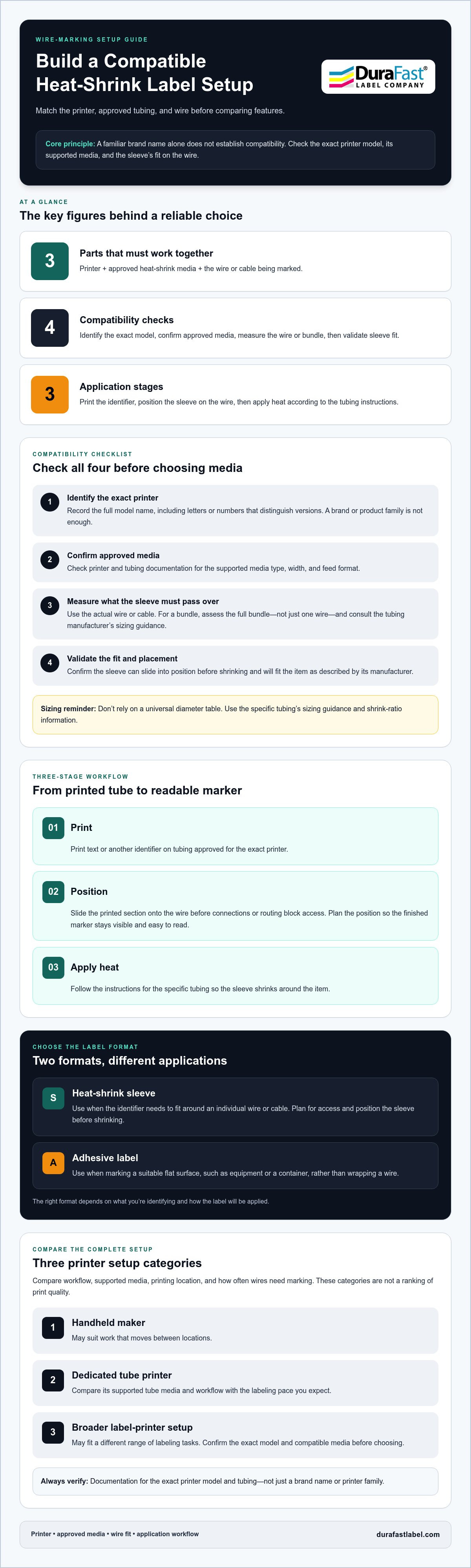
The process has three steps: print the identification, position the sleeve, then apply heat according to the tubing manufacturer’s instructions. The Heat-shrink tubing overview describes general material uses and types. Unlike a sleeve, an ordinary adhesive label sticks to a surface rather than enclosing a wire. For an example of a different label format, pillow law labels illustrate a use that doesn’t involve wire sleeves.
How does a printed heat-shrink sleeve work?
First, print text or another identifier on tubing approved for the printer. Slide the printed section onto the wire before connecting or routing it in a way that blocks access. Apply heat as directed by the tubing manufacturer so the sleeve shrinks around the item. Plan the text and sleeve position so the finished marker remains visible and easy to read.
When should you choose heat-shrink wire labels?
Choose a sleeve when the identifier needs to wrap around an individual wire or cable. This format can suit tasks where an adhesive label’s shape or placement isn’t appropriate. Sleeves aren’t the best choice for every label, though. A flat adhesive label may work better on equipment, containers, or other surfaces where wrapping a wire isn’t needed.
Before choosing, consider the cable layout, where the marker needs to sit, and how you’ll apply it. A sleeve must be positioned on the wire before shrinking, so plan for access and the order of assembly. Adhesive labels may fit a workflow that involves marking a surface directly. The right format depends on what you’re identifying and how the label will be applied.
- Use a sleeve when the identifier needs to fit around a wire or cable.
- Use an adhesive label when you need to mark a suitable flat surface.
- Plan the workflow around placement, access, and the consumable’s application instructions.
Once you’ve chosen a format, treat the printer and tubing as a matched system. A heat shrink label maker produces a usable result only when the media is compatible and the sleeve suits the wire and its intended placement. Compare the complete setup, not just the device.
How to Match a Heat Shrink Printer, Tubing, and Wire
Start with the exact printer and the wire you need to mark, rather than guessing from a brand name or a tube that looks close. Compatibility means the printer, its approved media, and the wire-marking application work together. Check each part before buying. The tubing must feed through the device, fit over the wire, and suit the finished marker you need.
- Identify the printer. Record its full model name, including letters or numbers that distinguish one version from another. A product family or familiar brand doesn’t establish that a particular tube will work.
- Confirm approved media. Check the printer documentation and tubing manufacturer’s information to confirm the consumable is supported. Review media type, width, and feed format because these can vary between models.
- Measure the wire or bundle. Identify the item the sleeve must fit over. If you’re marking a bundle, measure the full bundle rather than an individual wire. Use the tubing manufacturer’s sizing guidance.
- Validate the fit. Confirm that the sleeve can slide into position before shrinking and that its finished fit suits the application. Follow the instructions for the specific printer and tubing.
How do you choose tubing size for a wire?
Start with the actual wire or cable, not just its conductor size. If you’re marking a bundle, assess the full bundle the sleeve must pass over. The tubing needs enough room to slide into place before shrinking, then should fit the item as described by its manufacturer. Consult the manufacturer’s sizing guidance and shrink-ratio information instead of relying on a universal diameter table.
The Guide to Heat Shrink Tubing provides background on tubing types and shrink ratios. Use that information alongside the specific product documentation when selecting material and size.
How can you confirm printer and tubing compatibility?
Match the full printer model to the tubing manufacturer’s compatibility information. Then check the printer documentation for supported media type, width, and feed format. A listing for a familiar brand or printer family doesn’t prove that every model accepts the same tubing. Before choosing a heat shrink label maker setup, confirm the exact model-to-media match.
For example, don’t assume tubing works just because it names the same printer brand. Look for documentation that identifies the exact model and consumable format. If you’re comparing wire-marking options, visit DuraFast Label Company's contact page.
Heat Shrink Label Maker Options: Compare the Setup, Not Just the Device
Compare the complete workflow: the device, its supported media, where printing happens, and how often you’ll mark wires. A handheld maker may suit work that moves between locations, while a dedicated tube printer or broader label-printer setup may better fit a different pace or range of tasks. These are workflow categories, not a ranking of print quality. Check the documentation for the exact model and media before choosing.
| Setup type | Media compatibility | Print workflow | Portability | Consider for |
|---|---|---|---|---|
| Handheld maker | Check whether the exact model supports the required shrink media. | Print where the device is being used, following its instructions. | Often selected when a portable form factor matters; verify the model’s design. | Mobile or occasional wire-marking tasks. |
| Dedicated tube printer | Confirm the specific tube types and feed formats listed by the manufacturer. | Use a workflow centered on printing tubing for wire identification. | Assess the printer’s size and where it will be set up. | Repeat work focused on tube or sleeve marking. |
| Broader label-printer setup | Supported media depends on the printer; don’t assume it accepts shrink tubing. | May support other label tasks as well, subject to model documentation. | Compare the device format with the work location. | Workplaces handling multiple label media or applications. |
Use the table to narrow down the form factor, then verify the printer-to-media match. DuraFast offers a range of label-printing equipment and supplies, including thermal printers and color label printers. A general printer category doesn’t establish support for a particular shrink tube.
Handheld label maker or dedicated tube printer?
Choose according to your workflow. If the device needs to travel between work areas, portability may be important. If you produce wire markers repeatedly at one station, a dedicated tube-printing process may be a more natural fit. Neither form factor guarantees a particular print result or media support. Check the exact model’s documentation and confirm that it accepts the shrink media you plan to use.
Heat-shrink tubing or another wire-marking media?
Shrink sleeves and adhesive vinyl tapes serve different purposes. A sleeve fits around a wire after application; tape adheres to a surface and doesn’t shrink around the cable. Epson’s black-on-white vinyl tape is an example of non-shrink tape, not heat-shrink tubing. Choose based on where the marker needs to sit and how it will be applied.
Consider whether wire marking is your only need. A broader printer setup may be worth comparing if you handle other label tasks, but don’t assume it can print every media type. Review the documentation for the exact device and consumable together. This keeps the comparison focused on a complete, workable setup rather than a device name alone.
What to Check Before Buying a Heat Shrink Label Maker
A pre-purchase review can help prevent a printer and consumable mismatch. Gather details about the wires you need to mark, compare them with manufacturer documentation, and consider how often you’ll print. The setup should suit both the sleeve fit and the way your team works.
- Wire or cable size: Identify the individual wire or bundle that needs marking. Use the tubing manufacturer’s sizing guidance for that item.
- Sleeve fit: Confirm that the sleeve can pass over the wire before shrinking and that its finished fit suits the application.
- Printer compatibility: Match the exact printer model to supported shrink media, including its type, width, and feed format.
- Labeling volume: Estimate how often you’ll print and how many markers your normal workflow requires. This can help you compare handheld and stationary setups.
- Media supply: Review compatible consumables and plan how you’ll replenish them as your work continues.
- Application instructions: Read the printer and tubing documentation for setup, operating steps, and heat-application requirements.
What information should you gather before comparing products?
Make a short project brief. List the wire or cable types to identify, whether you’re marking individual conductors or bundles, and how many labels your workflow calls for. Note the text and symbols each marker needs to carry, along with any application-specific identification requirements. Then record candidate printer models and the media specifications in their manufacturer documentation.
This preparation makes comparisons more useful. A printer that suits occasional work may not fit frequent labeling at a fixed station. A tube that fits one wire may not fit a larger bundle. Use actual tasks and measurements to guide your shortlist instead of choosing by product name alone.
Which common buying mistakes can you avoid?
Avoid making assumptions about compatibility. Not every label maker supports heat-shrink tubing, and a familiar brand name doesn’t establish that a particular model will work. Don’t choose a sleeve by nominal size alone; check the manufacturer’s fit guidance for the wire or bundle. Product titles can help identify candidates, but they don’t replace printer and media documentation.
- Don’t treat a printer’s general label capability as proof it supports shrink media.
- Don’t overlook how the tubing feeds through the device or how it must be applied.
- Don’t compare printer options without considering compatible media and how you’ll replenish it.
With your wire details, expected volume, and documentation in hand, you can compare heat shrink label maker setups more confidently. For label-printing product information, visit DuraFast’s contact page.
Find Heat Shrink Label Supplies and Printer Guidance at DuraFast
Once you’ve defined your wire-marking needs, explore DuraFast’s related printer and consumable categories. The catalog includes Dymo heat-shrink labels and Dymo IND heat-shrink labels, along with MAX Letatwin printers, tubes, and tapes. Epson LabelWorks printers and PX tapes are also listed. These are distinct product groups, so don’t assume every printer supports every tube or tape.
Use the exact printer model and the manufacturer’s media documentation to evaluate a potential match. This matters even when printer and consumable names seem related. Check the supported media format and the tube’s sizing guidance before deciding whether a setup suits your wire-marking task. Product categories help you find options; model documentation confirms whether a specific combination is appropriate.
Which heat-shrink-related supplies does DuraFast list?
Start with the media you need. Dymo heat-shrink labels and Dymo IND heat-shrink labels are listed consumable categories. MAX Letatwin printers, tubes, and tapes are also available in the catalog. Epson LabelWorks printers and Epson LabelWorks PX tapes offer additional categories to explore, but PX tape should not be treated as proof of shrink-tube compatibility. Check the exact model and media against manufacturer specifications.
Keep the printer and consumable details together as you compare options. For each candidate, note the full model name, the media type it supports, and the tubing or tape format you intend to use. This makes it easier to distinguish a product category from a verified match and to find the right information when replenishing supplies.
How can you move from comparison to a buying decision?
Before searching, gather the details that describe your intended setup. A short list can keep the decision focused:
- Printer: Record the exact model under consideration.
- Media: Note the tube or tape type and the manufacturer’s supported-media information.
- Wire fit: Capture the wire or bundle you need to mark and the tubing manufacturer’s sizing guidance.
- Workflow: Estimate how frequently you’ll print and how you plan to replenish compatible supplies.
Use DuraFast’s product-name or SKU search widget to locate matching catalog items. Search by the precise name or identifier, then compare the product details with the manufacturer’s documentation. Search results can help you find an item, but they don’t replace checking model-specific compatibility.
With these requirements in hand, narrow your heat shrink label maker options by printer, media, and wire fit rather than device name alone. For help with your printer and supply needs, contact DuraFast.
Turn Your Shortlist Into a Repeatable Setup
Before ordering, turn your preferred heat shrink label maker setup into a simple reference for your team. Record the printer model and approved media details alongside the wire-marking task they support. This gives everyone a consistent starting point for future jobs and makes it easier to reorder the right consumables.
Keep the reference current as your labeling needs change. A new wire type, printer, or media format may require another compatibility review, so include documentation in your purchasing process. DuraFast supplies label-printing equipment and consumables, including color and thermal printers and labeling media.
Ready to take the next step? Contact DuraFast about your printer and supply needs. With a clear plan and the right details in hand, you can move forward with a wire-marking setup that’s easier to manage.
Frequently Asked Questions
What is a heat shrink label maker used for?
A heat shrink label maker produces printed markers for wires and cables. A printed sleeve can identify a conductor by function, destination, or another clear text code. For example, a technician tracing several similar-looking leads may use distinct markers to tell them apart during installation or maintenance. Choose wording that’s easy to read in the available space, and keep identification consistent across related wiring.
Can any label maker print on heat-shrink tubing?
No. A label maker must support the specific shrink media you plan to use. A device that prints ordinary adhesive tape may not accept tubing because the material and feed format can differ. Check the exact printer model’s documentation alongside the tubing specifications. A shared brand name or a general claim that a printer makes labels doesn’t prove it can print on shrink media.
How do I choose the right heat-shrink tubing size for a wire?
Choose tubing using the manufacturer’s sizing guidance for the wire or cable you need to mark. If the sleeve must pass over a connector or bundled wires, account for that larger section too. The sleeve needs to fit over the item before shrinking, so consider the widest point it must slide across, not only the wire’s narrowest section. Avoid choosing by appearance alone.
Do heat-shrink labels need a special printer?
They need a printer approved for the particular heat-shrink media, but that doesn’t always mean a printer designed only for tubing. Some label makers support specified shrink consumables, while other printers are intended for different media. Check the device manual for compatible media types and loading instructions before purchasing. Review the tubing instructions too, so the printing and application steps match the material you select.
What is the difference between heat-shrink tubing and vinyl wire labels?
Heat-shrink tubing forms a sleeve around a wire when heated, while vinyl labels are adhesive media applied to a surface. A sleeve can identify the wire around its circumference; adhesive vinyl may suit a wire or nearby surface where a flat label can be placed. The right format depends on access, placement, and the identification task. Check that the chosen media suits the surface and environment.
How do you apply a printed heat-shrink wire label?
Print the marker on compatible tubing, then position the sleeve on the wire before shrinking. Apply heat as directed by the tubing manufacturer, using the specified method and precautions. Position the printed section where it will remain visible, and check for nearby materials or components that could be affected before applying heat. Let the sleeve cool as instructed before handling or assessing the finished fit.
Can I use Dymo heat-shrink labels with any Dymo label maker?
No. Dymo heat-shrink labels aren’t automatically compatible with every Dymo device. Dymo offers different label-maker types and consumables, so compare the exact label-maker model with the heat-shrink label’s supported-device information. Check the documentation for the media format and loading guidance too. DuraFast lists Dymo heat-shrink labels and Dymo IND heat-shrink labels, but the category name alone doesn’t establish compatibility with a particular printer.