High-Quality Seiko SLP850 Labels: A Complete Buying Guide
18th Aug 2026
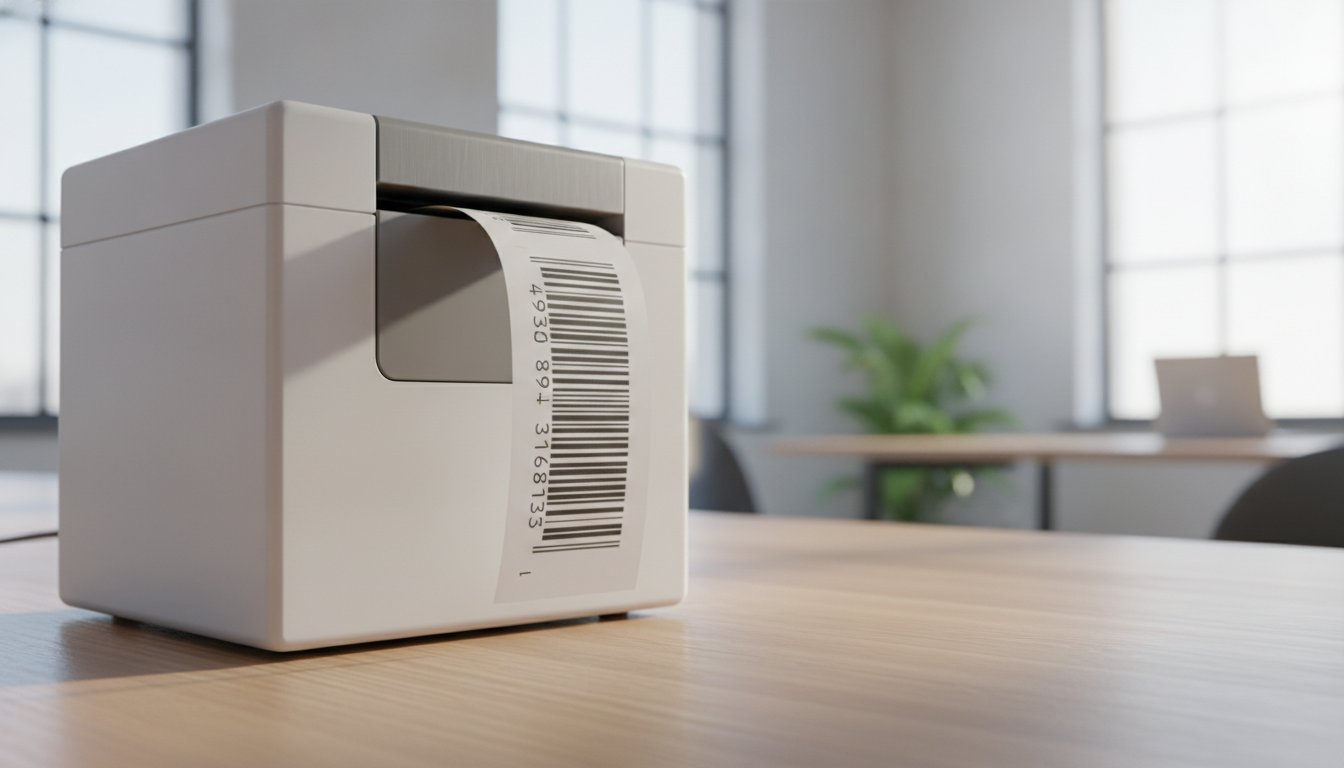
Why did you invest in a high-performance 300 DPI printer if your barcodes are coming out blurry or smudged? It's a common frustration for many professionals who find that generic media simply can't keep up with the precision of their hardware. Choosing the right Seiko SLP850 labels is about more than just finding a roll that fits; it's about protecting your hardware and ensuring every scan is successful. You likely already know that poor-quality labels can lead to adhesive buildup or frequent jams that stall your entire workflow.
We understand that you need reliability, especially when printing in cold or humid environments where standard adhesives often fail. This guide will help you identify the perfect high-resolution thermal labels to ensure crisp, smudge-free results while maximizing your device's lifespan. We'll walk you through the essential differences between standard and linerless options, explain how to maintain your printer's health, and show you how to secure professional-grade media through cost-effective bulk purchasing.
Key Takeaways
- Match your media to the SLP850’s 2-inch (58mm) direct thermal specifications to ensure seamless hardware compatibility and performance.
- Evaluate the benefits of traditional linered media versus waste-reducing, continuous Seiko SLP850 labels to optimize your specific workflow.
- Identify application-specific materials that resist moisture in healthcare settings or offer clean removal for retail shelf edges.
- Prevent costly downtime and protect your printer’s internal cutter by verifying roll outer diameter and choosing the correct adhesive strength.
- Achieve professional 300 DPI results with high-resolution media designed for crisp, smudge-free barcodes and maximum device longevity.
Understanding Seiko SLP850 Labels and Compatibility
The Seiko SLP850 isn't your average desktop printer. It is a high-speed, high-resolution precision tool. To get the best out of this machine, you need to use media designed specifically for its unique specifications. Most users recognize the standard 2-inch (58mm) width, but compatibility goes much deeper than just the physical size of the roll.
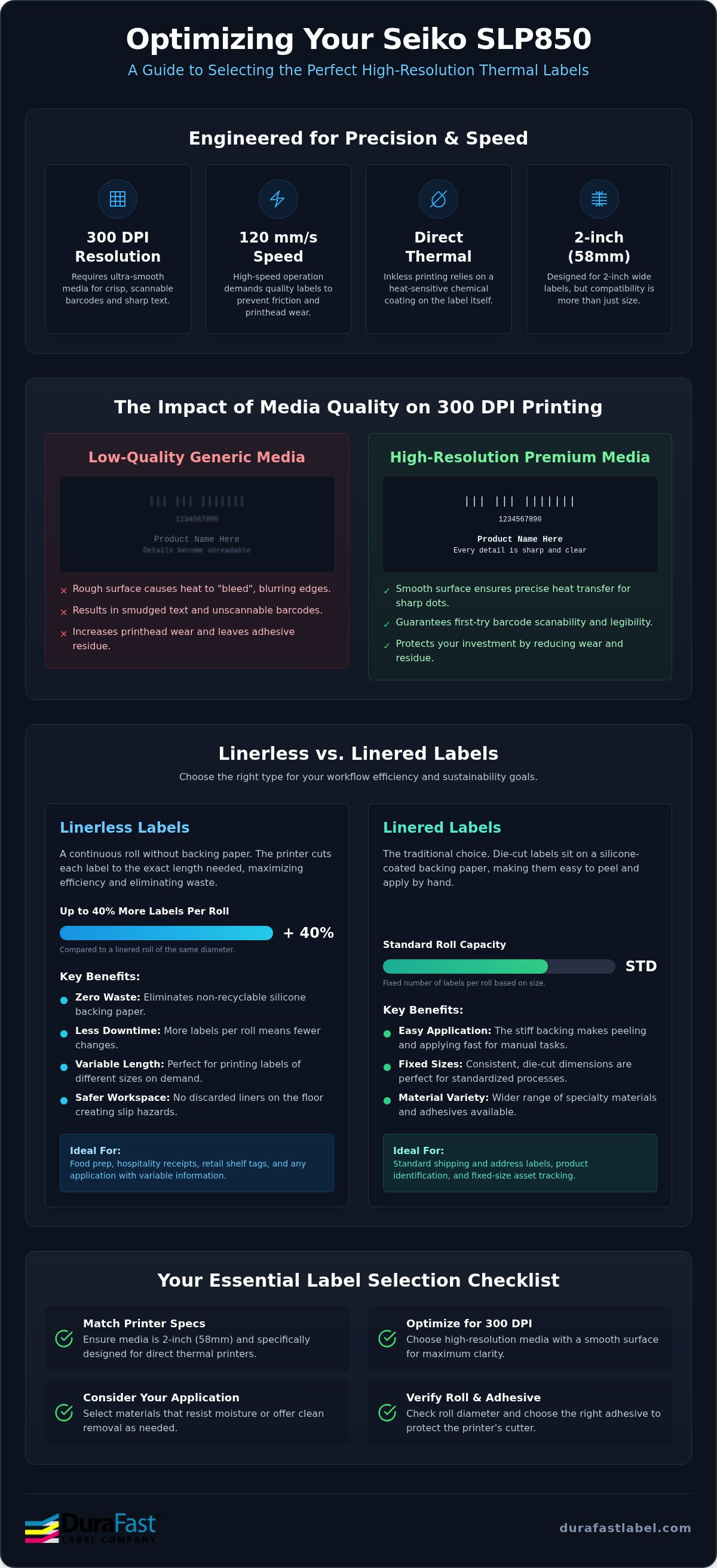
Your choice of Seiko SLP850 labels directly impacts the health of your 300 DPI printhead. Because this printer operates at speeds up to 120mm per second, the friction between the label and the printhead is significant. Low-quality paper acts like sandpaper; it can grind down the delicate heating elements over time. Choosing premium media ensures smooth feeding and protects your investment from premature wear and abrasion.
Direct Thermal Technology vs. Thermal Transfer
Unlike many industrial printers, the SLP850 utilizes direct thermal technology. This means it doesn't use ribbons, ink, or toner. Instead, it relies on a specialized chemical coating on the surface of the labels. When the printhead applies heat, a chemical reaction occurs that turns the paper black in specific spots to create your text or barcodes.
This inkless approach is incredibly efficient for fast-paced environments. However, it makes the quality of the thermal coating critical for your Seiko SLP850 labels. High-grade thermal media is designed for indoor applications where it won't be exposed to extreme heat or direct sunlight for long periods. If you use sub-standard paper, you might notice your labels fading or turning gray prematurely. Quality media ensures your data remains legible throughout the label's intended lifespan.
The Importance of 300 DPI Label Precision
The SLP850 stands out because of its high-resolution 300 DPI output. While standard 203 DPI printers are forgiving, high-resolution printing requires a much smoother paper surface. If the surface is too rough, the tiny dots of heat won't transfer evenly. This leads to "bleeding," where small text becomes unreadable and barcode edges lose their crispness.
- Scanability: Smooth surfaces ensure that scanners can read dense barcodes on the first try.
- Fine Detail: Premium coatings prevent the heat from spreading too far, keeping small fonts sharp.
- Reduced Residue: Better labels leave less dust and adhesive behind, keeping your internal sensors clean.
Understanding these technical requirements is the first step in optimizing your labeling process. For a deeper look at how this hardware compares to other options, check out our thermal label printer guide to find the best fit for your business.
Linerless vs. Linered Labels: Which Should You Choose?
Choosing between linerless and linered media for your Seiko SLP850 labels is one of the most important decisions for your workflow efficiency. Linered labels are the traditional option. They feature a die-cut label sitting on a silicone-coated backing paper. This backing makes it easy to peel and apply labels to packages or files. On the other hand, linerless labels are continuous rolls that look similar to a roll of tape. They don't have a backing at all. The SLP850 uses its internal cutter to slice these labels to the exact length you need.
The operational benefits of moving to a linerless system are substantial. Because there's no bulky backing paper, you get approximately 40% more labels on a roll of the same diameter. This means your team spends less time stopping to change rolls and more time fulfilling orders. It's a massive win for high-volume environments. From a sustainability perspective, you're also eliminating thousands of feet of non-recyclable silicone waste from your business every year.
When to Opt for Linerless Media
Linerless media is the perfect solution for variable-length printing. If you're printing food prep labels, hospitality receipts, or retail shelf tags of different sizes, you don't want to be locked into a fixed die-cut dimension. It's also a major safety upgrade. In fast-paced warehouses or kitchens, discarded backing paper is a slip hazard. Using linerless rolls keeps your floors clean and your staff safe. If you're considering a similar setup for other departments, you might also want to look at Seiko SLP720RT labels for dedicated linerless hardware.
Linered Label Advantages for Small Businesses
While linerless is innovative, traditional linered labels still hold the crown for standard shipping and address tasks. If you always print the same size, such as a 2x3 inch label, die-cut linered options are often faster to apply by hand. They also offer a much wider variety of adhesive types. Whether you need a permanent bond for shipping or a removable adhesive for inventory management, linered media gives you more flexibility. This variety ensures your Seiko SLP850 labels perform exactly as needed for your specific surface.
If you're still unsure which format fits your specific application, our team can help you choose the right media for your Seiko printer.
Application-Specific Seiko SLP850 Label Types
The versatility of the Seiko SLP850 makes it a staple across several industries. While many desktop printers struggle with specialized media, this model handles diverse stocks with ease. In healthcare, it's frequently used for patient wristbands and specimen labels. These applications require a specific thermal coating that resists moisture and alcohol. This ensures patient data remains legible even in clinical environments where liquids are common.
Retailers rely on these printers for shelf edge labels and price tags. The key here is the choice of adhesive. Clean-removal adhesives allow staff to update pricing or move tags without leaving behind a sticky residue that attracts dust. For visitor management, the printer produces temporary name badges for security and events. The 300 DPI resolution ensures that small security icons and text are perfectly clear for identification.
In logistics, while the SLP850 is natively a 2-inch device, it's often used for tracking tags and asset labels. If your workflow requires standard 4x6 shipping labels, you can utilize an external roll support to feed larger media into the printer. This flexibility allows one compact device to handle multiple roles in a warehouse or office setting without requiring separate hardware for every task.
Labels for Mobile and Bluetooth Printing
Mobile workers benefit significantly from the SLP850BT model. Bluetooth connectivity enables on-demand labeling at the point of activity, whether that's at a hospital bedside or a warehouse receiving dock. It's essential to use high-quality rolls that remain secure during movement to prevent jams. For teams working entirely in the field, pairing your media with Seiko portable printers ensures consistent performance outside of a traditional office environment.
Specialty Materials: Plastic and Polypropylene
Sometimes, standard paper Seiko SLP850 labels aren't enough for the job. If your labels will be exposed to chemicals, oils, or outdoor weather, you should switch to plastic or polypropylene materials. These synthetic stocks offer superior smudge resistance and won't tear or degrade when wet. They're ideal for laboratory environments or industrial tool tracking where durability is non-negotiable. You can find a full range of these durable options in our Seiko SLP850 labels category.
Key Selection Criteria for Seiko Thermal Labels
Selecting the best Seiko SLP850 labels requires looking beyond the surface. While the printer's 300 DPI resolution handles the detail, the label's adhesive and physical dimensions determine whether your project succeeds or fails. You must match the label's specifications to both the printer's physical housing and the final application environment. High-quality media ensures that your barcodes stay scannable and your labels stay attached where they belong.
One often overlooked feature is the top-coating. Since direct thermal printing is heat-sensitive, a protective top-layer is vital. It prevents the label from turning black when exposed to friction or minor heat sources. This coating also shields the print from UV light, which can cause significant fading over time. Without this protection, a label that looks perfect today might be unreadable in a month.
Adhesive Performance in Different Environments
Adhesives aren't one-size-fits-all. Standard acrylic adhesives work perfectly for general office tasks, but specialized needs require specialized glue. For example, if you're labeling items for cold storage, you need freezer-grade adhesives that won't lose their grip at sub-zero temperatures. Conversely, high-tack options are necessary for curved or rough surfaces where standard labels might peel at the edges. For food service or hospitality, repositionable options like Maxstick allow you to move labels without leaving any residue behind.
Roll Capacity and Core Compatibility
The SLP850 features a convenient drop-and-load mechanism. It's designed for simplicity. However, this compact design means the outer diameter (OD) of the roll is strictly limited. If you purchase rolls with an OD that exceeds the housing's capacity, the lid won't close or the motor will struggle to pull the media. Core size is equally critical. Seiko printers use specific core dimensions to ensure the roll remains centered. Using an incorrect core size often leads to feed errors, misaligned prints, and frustrating paper jams that can damage internal sensors. To avoid these issues, always verify that your Seiko SLP850 labels are wound on compatible cores that match the printer's spindle requirements.
Maximizing roll length is a smart way to boost efficiency. Longer rolls mean fewer interruptions during high-volume print runs. Just ensure the increased length doesn't push the roll's total diameter beyond the printer's physical limits. If you're ready to upgrade your media or need help verifying specs, contact our experts today to ensure your labels are a perfect match for your hardware.
Why Buy Seiko SLP850 Labels from DuraFast Label Company?
Choosing a supplier for your business consumables shouldn't be a gamble. At DuraFast Label Company, we specialize in the complete in-house labeling ecosystem. We don't just sell hardware; we provide the expertise needed to keep your operations running smoothly. Every roll of Seiko SLP850 labels we offer is rigorously tested for compatibility with the Seiko SLP850 printer. This testing ensures that you won't face the common headaches of sensor errors or poor print density that often plague generic alternatives.
We take a system-wide approach to your labeling needs. Beyond the media itself, we provide the tools required for a professional setup. This includes BarTender Professional software for advanced label design and Datalogic barcode scanners for reliable data capture. Our extensive North American inventory means your production never has to stop due to supply chain delays. We prioritize reliability and transparency, ensuring you have the right materials exactly when you need them.
The DuraFast Advantage: More Than Just Consumables
Our team has deep technical knowledge of the Seiko product line. We've helped many customers navigate the transition from the SLP650 to the SLP850, ensuring they understand the upgraded features of the successor model. We don't just ship boxes; we offer guidance on matching specific label types to your scanner requirements. Whether you're using handheld Datalogic units or fixed scanners, we ensure your printed barcodes meet the necessary contrast and clarity standards for a first-time read every time.
Ensuring Long-Term Printer Health
Your hardware is an investment that deserves protection. Using premium Seiko SLP850 labels is the easiest way to extend the life of your printer. Low-quality media often sheds paper dust or leaves adhesive residue on the SLP850's integrated cutter. Over time, this buildup causes jams and dulls the blade. Our dust-free media reduces the frequency of printhead cleanings and prevents mechanical strain. Most importantly, using approved label types helps protect your 3-year Seiko warranty. We help you maintain your equipment by providing media that meets the manufacturer's strict standards for abrasion and heat sensitivity.
Upgrade Your Labeling Efficiency Today
Your Seiko SLP850 is a precision tool that deserves the best media. By choosing labels specifically optimized for its 300 DPI resolution, you ensure every barcode remains crisp and professional. Whether you need the versatility of linerless formats to reduce waste or standard die-cut rolls for high-speed shipping, the right choice prevents downtime and protects your printer's internal cutter. These premium Seiko SLP850 labels are also fully compatible with Bluetooth models, making them the perfect choice for mobile workers who need reliable results in the field.
Don't let poor-quality consumables stall your productivity or damage your hardware. We're here to help you find the exact media that fits your specific industry needs and environmental challenges. Shop our full selection of high-performance Seiko SLP850 Labels here to get started. Our team is ready to support your business with reliable stock and expert guidance. You can print with confidence knowing your labels will stick, scan, and last as long as you need them to.
Frequently Asked Questions
Are Seiko SLP850 labels compatible with the older SLP650 series?
Yes, the media is generally compatible as the SLP850 is the direct successor to the SLP650. Both printers utilize 2-inch (58mm) wide direct thermal technology. However, the SLP850 introduces support for linerless labels that the older series may not handle as effectively. Always check the outer diameter of the roll before purchasing; the SLP850 has a compact housing that requires specific roll dimensions to close the lid properly.
Do I need a ribbon to print on Seiko SLP850 labels?
No, you don't need a ribbon or ink cartridges. The Seiko SLP850 uses direct thermal technology, which means the printer applies heat directly to the chemical coating on the label surface. This reaction creates your images and text without any consumables other than the labels themselves. It's a clean, cost-effective way to handle high-volume labeling tasks because you don't have to worry about replacing ribbons or dealing with messy ink spills.
What is the difference between linered and linerless labels for the SLP850?
Linered labels include a traditional backing paper that you peel away before application. Linerless labels are continuous rolls with no backing, functioning much like a roll of tape. The SLP850 uses an internal cutter to slice these linerless rolls to any length you need. This eliminates silicone waste and allows for roughly 40% more labels per roll. Choose linerless for variable-length tasks and linered media for standard, fixed-size shipping or address labels.
How many labels are typically on a standard Seiko SLP850 roll?
The label count depends on the label height and the roll's total length. For example, a roll with 1-inch high labels will have a higher count than one with 3-inch labels. Standard rolls usually contain between 130 and 400 labels. Because linerless Seiko SLP850 labels don't have a bulky backing paper, they are thinner and longer. This allows them to offer significantly more labels per roll than traditional linered media.
Can I use third-party labels in my Seiko SLP850 printer?
You can use third-party media, but it's vital to choose high-quality options. Poorly made labels often shed paper dust or have inconsistent thermal coatings that can damage your 300 DPI printhead. Premium Seiko SLP850 labels from trusted suppliers are tested to ensure they don't leave adhesive residue on the cutter. Always verify that the core size and outer diameter match Seiko's specifications to avoid frequent jams or sensor errors that disrupt your workflow.
Will the Seiko SLP850 print in color on these labels?
No, the SLP850 is a monochrome printer that only prints in black. Direct thermal printing relies on a heat-triggered chemical reaction that turns the label paper black. It cannot produce color images or text. If your application requires color, you should look into inkjet label printers. For the SLP850, focus on utilizing its high resolution to create sharp, high-contrast barcodes and text that are easy for any scanner to read on the first try.
How do I store my thermal labels to prevent them from turning black?
To keep your labels in top condition, store them in a cool, dry, and dark environment. Thermal paper is highly sensitive to heat, humidity, and UV light. Exposure to sunlight or high temperatures will cause the chemical coating to react, turning the paper gray or black. Avoid storing your rolls near windows, heaters, or in damp basements. Keeping them in their original packaging until you're ready to print helps maintain the integrity of the thermal coating.
Does the SLP850 support Bluetooth printing for these labels?
Yes, the SLP850BT model includes integrated Bluetooth support for wireless printing. This allows you to send print jobs directly from your smartphone, tablet, or laptop without using a USB cable. It's a perfect solution for mobile workstations or retail environments where desk space is limited. When printing via Bluetooth, keep your device within the recommended range to ensure a stable connection and to maintain the printer's maximum output speed of 120mm per second.