How to Choose and Set Up a Label Printer for Chemical Containers in 2026
24th Jun 2026
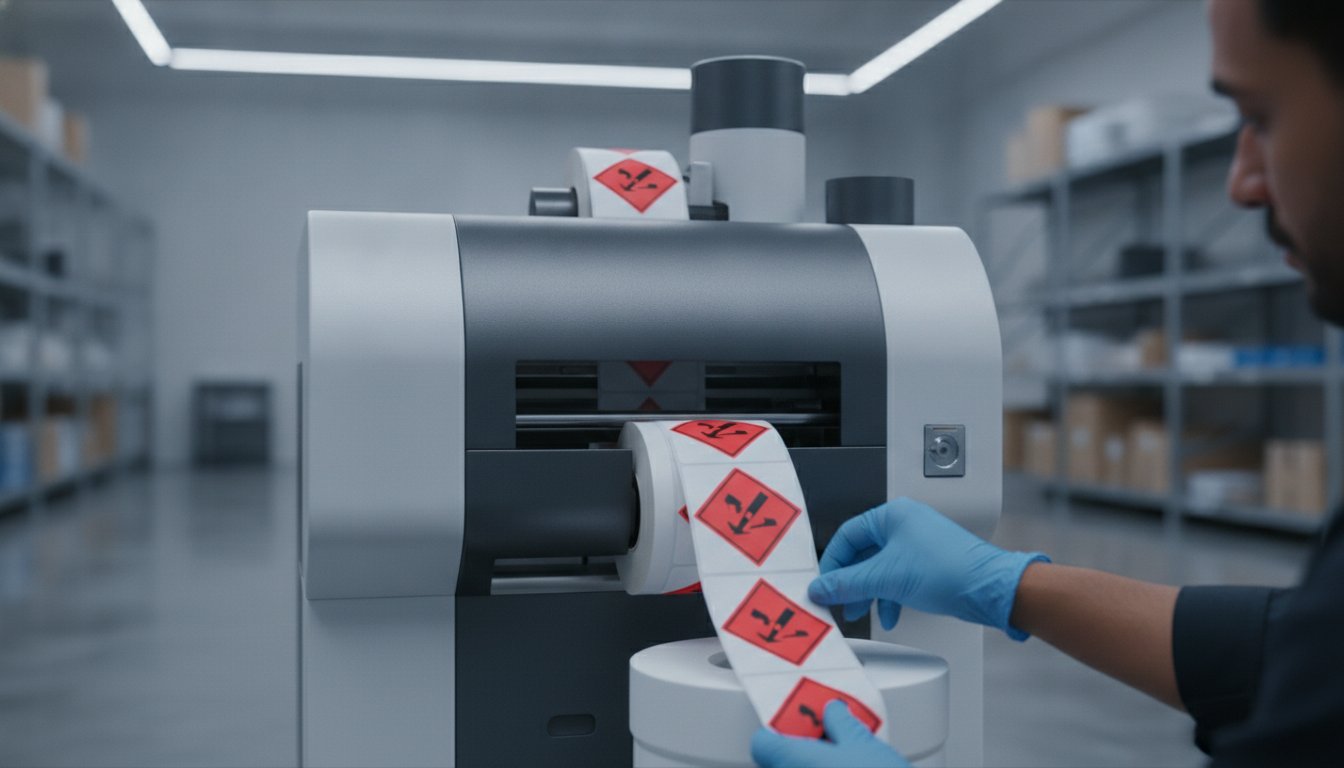
Did you know that as of May 19, 2026, the updated OSHA Hazard Communication deadlines for chemical substances are officially in effect? If you're currently struggling with labels that peel when exposed to harsh solvents or fade under industrial lights, you aren't alone. It's a constant challenge to manage the complexity of BS 5609:2024 standards while dealing with rising material costs and slow lead times from external print shops.
We understand that regulatory compliance can feel like a moving target. That's why we've put together this guide to help you find the perfect label printer for chemical containers. You'll learn how to select the right combination of pigment-based inks and certified media to produce GHS-compliant, chemical-resistant labels in-house. We'll walk you through a streamlined workflow that ensures total compliance, reduces your lead times, and keeps your operations running smoothly without the stress of unexpected fines or failed inspections. By matching the right hardware with durable matte media, you can take full control of your production line and stop worrying about label durability.
Key Takeaways
- Understand why GHS and BS5609:2024 compliance requires a specific "system" approach where your printer, ink, and media work in perfect harmony.
- Compare pigment-based inkjet and thermal transfer technologies to see which method best survives harsh chemical exposure and marine environments.
- Discover how to select the right label printer for chemical containers by evaluating high-performance models like the Epson ColorWorks C6000A and Afinia L801.
- Follow a simple four-step guide to configure your in-house station using BarTender software and specialized DuraFast Matte Chemical Labels.
- Learn how moving production in-house can slash your lead times and eliminate the high costs associated with short-run custom label orders.
GHS and BS5609 Compliance: Why Your Choice of Label Printer Matters
Choosing a label printer for chemical containers isn't just a matter of operational preference. It's a critical decision for regulatory safety. In the chemical industry, a label that peels or becomes unreadable isn't just a nuisance; it's a legal liability that can lead to heavy fines or dangerous workplace accidents. To stay compliant, your printing system must meet the rigorous standards of the Globally Harmonized System (GHS).
GHS mandates the use of specific red-bordered pictograms to identify hazards. This requirement makes color printing essential. While some businesses try to use standard office printers, these machines almost always fail durability tests. Office ink is typically dye-based, meaning it smears when it touches water or chemicals. For true compliance, you need a system designed to bond ink to synthetic, chemical-resistant media.
Compliance is often measured by the BS5609 standard. This is divided into two parts. Section 2 evaluates the blank label and its adhesive to ensure it stays stuck to a container under extreme stress. Section 3 evaluates the "system," which includes the specific combination of the printer, the ink, and the label material. You can't claim compliance by only looking at one piece of the puzzle. If you change your ink or your inkjet labels, you may need to re-verify your Section 3 status.
OSHA and WHMIS Requirements in 2026
The regulatory landscape shifted significantly in early 2026. OSHA extended the compliance deadlines for the revised Hazard Communication Standard, giving manufacturers of substances until May 19, 2026, to meet new requirements. This update focuses on GHS Revision 7 alignment. Every compliant label must now feature a clear product identifier, a signal word like "Danger" or "Warning," and specific hazard statements. Using a dedicated color label printer allows you to update these elements instantly as regulations evolve, avoiding the waste of obsolete pre-printed stock.
The Importance of Marine-Grade Labels
If your products travel by sea, they fall under the International Maritime Dangerous Goods (IMDG) code. This code requires labels that can survive the "wipeout" of a shipping accident. BS5609 is the standard for labels that must remain legible after three months in salt water. Harsh environments involving UV exposure, salt spray, and aggressive solvents will quickly destroy a standard label. Investing in a high-quality label printer for chemical containers ensures your branding and safety data remain perfectly legible, no matter how rough the journey gets.
Inkjet vs. Thermal Transfer: Which Technology Handles Harsh Chemicals Best?
Selecting the right label printer for chemical containers often comes down to a choice between two distinct technologies: pigment-based inkjet and thermal transfer. Both have their place in a modern facility, but they handle chemical exposure very differently. Your choice will determine whether your labels stay intact or vanish when they encounter a spill.
Pigment ink is the secret to high-resolution, full-color GHS compliance. Unlike standard dye inks, pigment ink contains solid particles that physically bond to the surface of synthetic inkjet labels. This creates a durable, waterproof image that won't run or smear when it hits water or mild solvents. It's the standard for printing complex, color-coded safety data on demand.
Thermal transfer remains the durable choice for high-volume industrial applications. This technology works by melting a ribbon onto the label surface. However, not all ribbons are created equal. Wax ribbons are fine for standard shipping, but they fail instantly when exposed to chemicals. For containers holding oils, alcohols, or solvents, you must use full resin ribbons. Resin provides the highest level of abrasion and chemical resistance available today. This durability is a core requirement of OSHA's Hazard Communication Standard, which mandates that safety information remains legible under all expected conditions.
Pros and Cons of Color Inkjet for Chemicals
Color inkjet systems excel at flexibility. You can print variable GHS pictograms, colorful branding, and barcodes in a single step. This eliminates the need to buy and store different rolls of pre-printed labels for every product. The resolution is also significantly higher than thermal options. This makes inkjet the better choice for small laboratory vials where legibility of fine text is paramount. While the cost-per-label can be higher for long runs, the savings in reduced inventory and waste often make it the more economical choice for medium-sized batches.
When to Choose Industrial Thermal Transfer
When your production line requires maximum speed and monochrome durability, industrial thermal transfer is the answer. These machines are built to handle the rigors of a warehouse environment. They produce labels for large drums and shipping containers at lightning speed. When you combine a full resin ribbon with a high-performance synthetic facestock, the resulting label is virtually smudge-proof. You can explore our thermal transfer label printers to see which industrial models best support your high-capacity needs.
Choosing between these two can be tricky. If you need help weighing the long-term costs against your specific durability requirements for a label printer for chemical containers, reach out to our support team for a personalized recommendation.
Top-Rated Printers for Chemical Container Labeling in 2026
Finding the ideal label printer for chemical containers requires looking beyond simple print speeds. You need a machine that handles the specific chemical-resistant inks and durable synthetic media required for GHS compliance. Whether you're a small lab or a large-scale manufacturer, the hardware you choose acts as the foundation of your safety program. Selecting a vetted model ensures your labels stay legible from the warehouse to the end user.
The current market offers specialized solutions for different production volumes. For many, the choice is driven by the need to meet OSHA's Hazard Communication Standard, which defines how pictograms and signal words must appear on every container. Using a printer that can't handle pigment-based inks or resin ribbons will lead to non-compliance during your next safety audit.
Best for Full-Color GHS: Epson ColorWorks C6000A
The Epson ColorWorks C6000A is widely considered the versatile leader for GHS color compliance. It's engineered specifically to work with pigment inks that bond deeply with matte synthetic media. One of its standout features is the built-in peeler, which allows for easy integration into automated labeling lines. It also supports ZPL II, meaning it can often drop into existing workflows that previously used monochrome thermal printers. If you want to see our full range of color label printers, this model is a great place to start your search.
Best for High Volume: Afinia L801
If your facility runs 24/7, the Afinia L801 offers the speed you need without sacrificing print quality. It utilizes Memjet technology to deliver full-color labels at speeds up to 60 feet per minute. The large ink tanks are a major benefit, as they significantly minimize downtime for cartridge swaps. To achieve the best durability in chemical environments, we recommend pairing this machine with Afinia L701/L801/L901 labels that are specifically coated to accept high-speed inkjet delivery.
The Industrial Standard: Zebra ZT411
For those sticking with the rugged reliability of thermal transfer, the Zebra ZT411 remains the industrial workhorse. Its metal frame is built for harsh manufacturing floors where dust and temperature swings are common. When used with a 600 dpi printhead, it can produce incredibly crisp, tiny safety warnings that remain legible on small vials or tight spaces. You can browse industrial barcode printers like the ZT411 to find a configuration that matches your specific ribbon and media needs.
For operations that need even more flexibility, the Afinia L502 offers dual-ink technology. This allows you to swap between dye and pigment inks depending on the specific material you're running that day. It's an excellent choice for businesses that handle both standard retail packaging and industrial chemical tagging on a single machine.
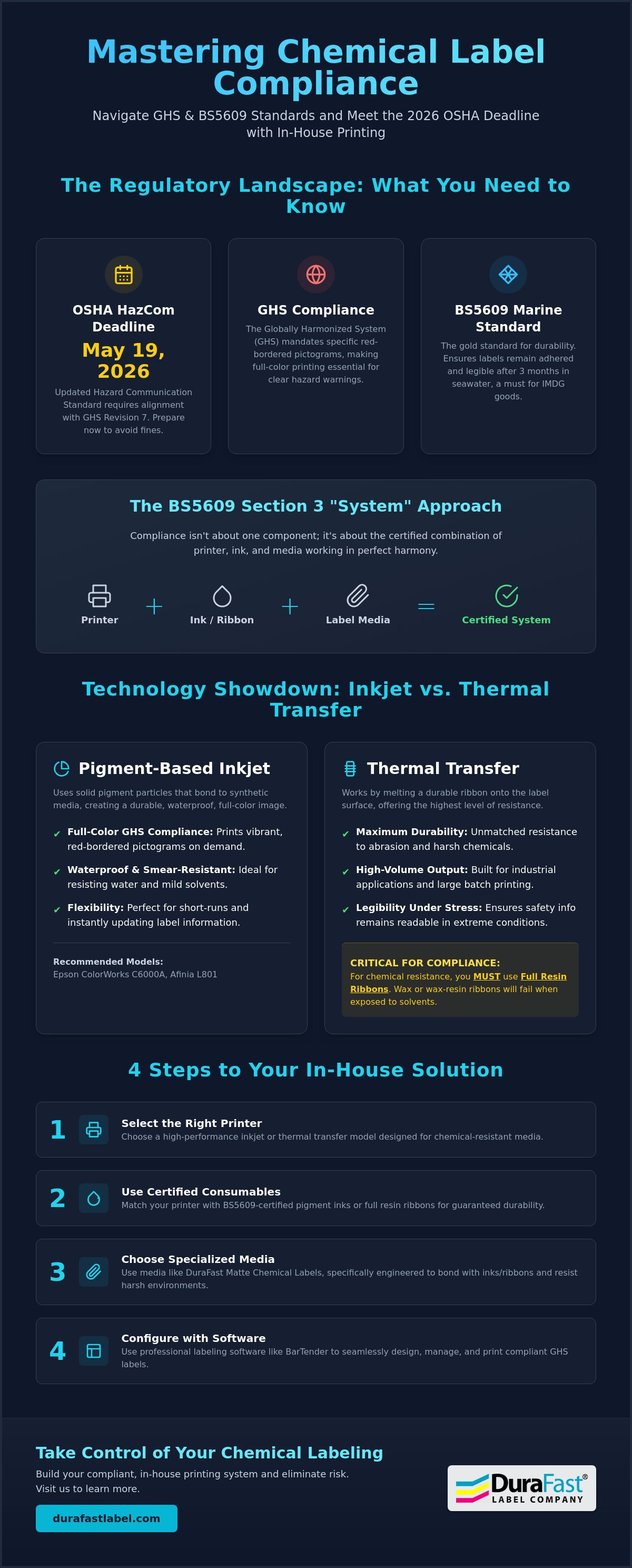
How to Set Up Your In-House Chemical Labeling System: A 4-Step Guide
Bringing your production in-house is the fastest way to gain control over your compliance and costs. While the hardware is the heart of the operation, the setup determines your long-term success. A poorly configured system leads to wasted media and failed safety audits. We've broken down the implementation process into four clear steps to get your label printer for chemical containers running at peak performance.
- Step 1: Selecting the Right Media. Always choose synthetic materials like polypropyline or polyester over paper. Paper absorbs liquids and will disintegrate when exposed to solvents. For inkjet systems, ensure you use specialized inkjet labels designed to lock in pigment ink.
- Step 2: Software Installation. Install BarTender Professional to handle your hazard data. This software acts as the brain of your system, connecting your chemical database to your printer.
- Step 3: Calibration. Configure your printer's sensors to recognize the specific stock you're using. This prevents alignment issues and ensures every pictogram is perfectly centered.
- Step 4: Durability Testing. Perform a "rub test" with the actual chemicals you are bottling. Apply the label, wait 24 hours for the adhesive to set, and then check for smearing or peeling.
Software Integration with BarTender Professional
Automation is your best defense against human error. BarTender Professional allows you to link your label templates directly to your ERP or Excel sheets. Instead of manually choosing pictograms, the software pulls the correct hazard data based on the product SKU. This ensures that every signal word and hazard statement is accurate. You should also verify that your font sizes meet GHS legibility requirements, especially for small containers where space is limited. High-resolution templates prevent the "pixelation" that can make safety text hard to read.
Media Loading and Calibration
Chemical-resistant media is often heavier than standard shipping labels. When loading these rolls, ensure the tension is set correctly to prevent slipping. Most industrial systems require you to choose between a gap sensor for die-cut labels or a black mark sensor for continuous rolls. Once loaded, perform a test print. You're looking for color accuracy, specifically the "GHS Red" in the hazard diamonds. If the red appears dull or orange, you may need to adjust your print head temperature or ink saturation settings. Accurate color isn't just about branding; it's a legal requirement for safety pictograms.
Setting up a new system requires precision. If you need a walkthrough of the configuration process for your specific label printer for chemical containers, contact our technical team for expert setup assistance.
Optimizing Durability with Specialized Chemical Labels and Ribbons
Even the most advanced label printer for chemical containers can't overcome low-quality media. If the facestock doesn't hold the ink or the adhesive fails, your compliance disappears the moment a spill occurs. True durability requires a total system approach. You must match your printer's technology with media that's specifically engineered for industrial environments. This final step ensures your safety data remains intact from the production line to the end user's facility.
DuraFast Matte Chemical Labels for Inkjet
DuraFast Matte Chemical Labels serve as the foundation of a compliant inkjet system. They're specifically engineered to lock in pigment ink, which is essential for meeting BS5609 standards. Unlike standard synthetic stocks, these labels feature a microporous coating that absorbs pigment particles instantly. This creates a bond that resists water, harsh solvents, and extreme temperature fluctuations. To see how these materials fit into the broader regulatory landscape, check out our Matte Chemical Labels: The 2026 Guide to GHS and BS 5609 Compliance.
High-Performance Thermal Ribbons
If you're using a thermal transfer label printer for chemical containers, your ribbon choice is non-negotiable. Resin ribbons are the only reliable option for chemical environments. They provide a level of smudge resistance that wax or wax-resin blends simply can't match. When you use high-quality Zebra Ribbons, the resin creates a hard, plastic-like finish on the label. This finish withstands exposure to oils, grease, and industrial cleaners. You can shop all thermal transfer ribbons to find the exact resin formulation for your specific facestock.
Proper storage is another critical factor in maintaining durability. Keep your label rolls in a cool, dry place away from direct sunlight. High humidity can degrade the adhesive before it ever hits the container. We recommend keeping rolls in their original packaging until they're ready for use to prevent dust accumulation, which can cause print head damage or image voids.
Finally, consider the return on investment. Switching to an in-house system often pays for itself quickly. You eliminate the high costs of short-run custom orders and the long lead times that delay product launches. Being able to print ten labels or ten thousand on demand gives you an operational agility that outsourcing can't touch. By controlling your own hardware and media, you ensure that every container leaving your dock is perfectly labeled and fully compliant.
Future-Proof Your Chemical Labeling Today
Achieving total GHS and BS5609 compliance doesn't have to be a complex or frustrating process. By moving your production in-house, you gain the agility to update hazard data instantly while slashing the high costs of outsourced short runs. The secret lies in the system approach we've discussed. Success comes from matching a high-performance label printer for chemical containers with specialized pigment inks and durable matte media.
As an authorized Epson and Afinia Diamond Partner, we've done the heavy lifting of vetting the best hardware for your facility. We keep specialized DuraFast Matte Chemical Labels in stock and ready to ship to ensure your system never faces downtime. Our expert North American support team is here to help you navigate the latest GHS regulations and technical setup requirements.
Ready to streamline your workflow and guarantee label durability? Contact our labeling experts today to find the perfect solution for your specific chemical containers. You've got the tools to succeed, and we're here to support you every step of the way.
Frequently Asked Questions
What makes a label GHS compliant?
A GHS compliant label must contain six specific elements: a product identifier, a signal word like "Danger" or "Warning," hazard statements, precautionary statements, pictograms with red borders, and the manufacturer's contact information. These elements must align with the latest OSHA Hazard Communication Standard deadlines, which were updated in early 2026 to match GHS Revision 7 requirements.
Do I need a special printer for chemical-resistant labels?
Yes, you need a specialized label printer for chemical containers that uses pigment-based inks or full resin ribbons. Standard office printers use dye-based inks that smear instantly when they touch water or solvents. A dedicated industrial system ensures the ink or toner physically bonds to synthetic media, creating a permanent, smudge-proof image.
What is the difference between BS5609 Section 2 and Section 3?
Section 2 certifies that the blank label and its adhesive can stay attached to a container after three months in salt water. Section 3 certifies the "system," meaning the specific combination of that label, the printer, and the ink. Under the BS 5609:2024 update, these can be tested separately, but you aren't fully compliant unless your specific printed output passes Section 3 testing.
Can I use a standard laser printer for chemical containers?
Most standard office laser printers fail chemical durability tests because their toner doesn't bond deeply enough to marine-grade synthetics. While some specialized laser models exist, pigment inkjet and thermal transfer technologies are much more reliable for industrial environments. Using the wrong printer often results in safety text flaking off when the container is handled or exposed to friction.
How long do in-house printed chemical labels last?
Labels produced on a certified in-house system are designed to last the entire lifecycle of the product. For marine shipping, BS5609 certification guarantees the label remains legible after ninety days of saltwater immersion. In standard warehouse conditions, these labels can remain perfectly readable for several years without fading or peeling.
What is the best software for designing GHS labels?
BarTender Professional is the industry standard for chemical label design because it automates hazard data. It connects directly to your chemical database, ensuring the correct pictograms and signal words populate automatically based on the product SKU. This automation eliminates the risk of human error that comes with manual template editing.
Can I print GHS labels on demand for different container sizes?
Yes, on-demand printing allows you to scale your labels to fit anything from small laboratory vials to large 55-gallon drums. Using a versatile label printer for chemical containers lets you switch between different media widths or use a single large roll to print multiple label sizes. This flexibility significantly reduces the cost of maintaining a large inventory of pre-printed stocks.
What happens if my chemical labels are not compliant?
Non-compliant labeling can result in heavy OSHA fines and the rejection of your shipments at international borders. More importantly, unreadable or missing safety data puts your workers and customers at risk of accidental exposure. Maintaining a compliant in-house system is the most effective way to protect your business from these legal and safety liabilities.