Law Label Printer Guide: In-House Printing Setup
19th Oct 2026
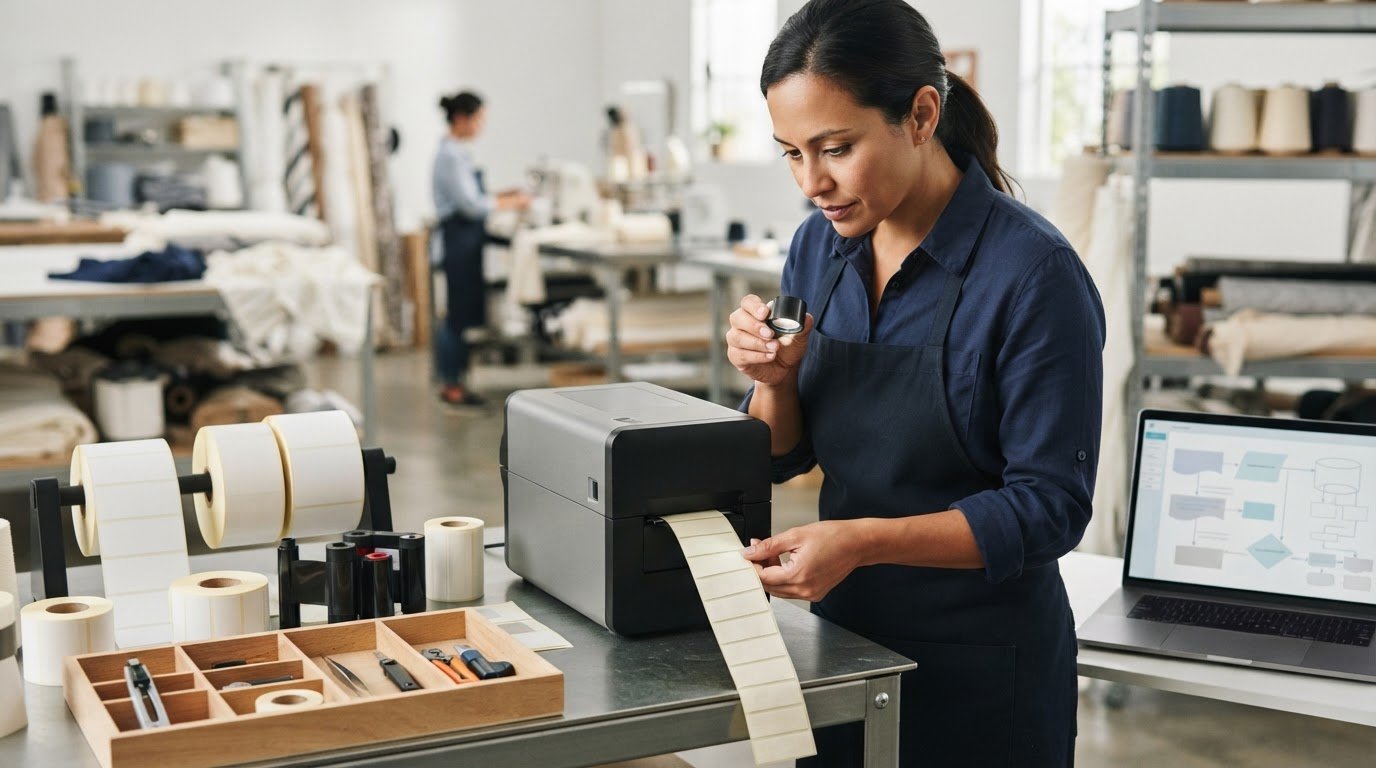
What if the printer you choose is only one part of getting law labels right? A label printer needs to work with the label stock, ribbon, and production workflow you’ll use. Otherwise, the results may not be as clear or durable as you need. Choosing the right law label printer means considering the whole setup, not just the hardware.
Choosing in-house equipment can feel complicated. You’re balancing print volume, readable output, media compatibility, and the separate responsibility of meeting applicable label requirements. Treat these as connected decisions, but don’t assume that a printer or label material alone makes a label compliant.
This guide will help you compare printing methods, match label media and ribbons to your setup, and choose equipment around your actual workflow. You’ll also learn where printer selection ends and regulatory content requirements begin. With a practical plan, you can evaluate the right combination of printer, law label supplies, and software before you buy.
Key Takeaways
- Separate printer and media decisions from verifying the label’s required content. Equipment alone doesn’t establish compliance.
- Choose a law label printer by working through label format, expected output, print technology, media compatibility, and workflow.
- Compare thermal transfer, direct thermal, inkjet, and laser printing against your label stock and operating conditions rather than assuming one method fits every application.
- Run a small test before committing to production to spot feeding, alignment, readability, or handling issues.
- Explore law labels, pillow law labels, printer hardware, and related supplies as parts of one in-house setup.
What Does a Law Label Printer Need for Your Workflow?
A law label printer reproduces approved text and graphics on compatible label stock. Its job is to produce the printed label clearly and consistently. It doesn’t decide what information belongs on the label, verify that information, or certify compliance.
Keep two decisions separate: selecting equipment for your production needs and confirming the content that applies to your products and markets. A printer can support your workflow, but it can’t determine your label obligations.
Which products and workflows use law labels?
Law labels may be relevant to products that contain filling, including bedding, pillows, mattresses, and furniture. The label format and information needed can vary with the product and applicable requirements, so these examples aren’t a complete legal checklist. For context on the purpose and history of a Law Label, see the overview on Wikipedia.
Start with what your operation makes and how labels will be applied. A pillow line may use a different label format or production routine from a furniture manufacturer. DuraFast offers pillow law labels and law labels to consider when planning your supply needs.
What a law label printer does, and does not do
In practical terms, the printer transfers approved text and graphics onto stock that can feed through the selected equipment. The full setup includes more than the printer: label dimensions and material, the printer’s supported media format, and the way labels move through your production process all matter. A mismatch can disrupt printing even when the text is ready.
Keep content review separate. Your business remains responsible for establishing what information is required for each product and jurisdiction. Printer selection can’t determine those obligations or confirm that the final content meets them. For regulatory detail, consult applicable primary sources for your products and markets.
Before comparing equipment, write down the basics of your workflow:
- Product: Identify which items need labels, such as pillows or mattresses.
- Label format: Note the label dimensions, stock type, and feed format your process requires.
- Production routine: Consider how labels will be printed, handled, and applied.
- Content status: Keep approved label copy and regulatory review distinct from the printer decision.
This outline turns “Which printer should we buy?” into a more useful question: “Which printer and compatible stock can reproduce our approved labels in the workflow we actually use?”
Matching Law Label Printers to Stock and Production
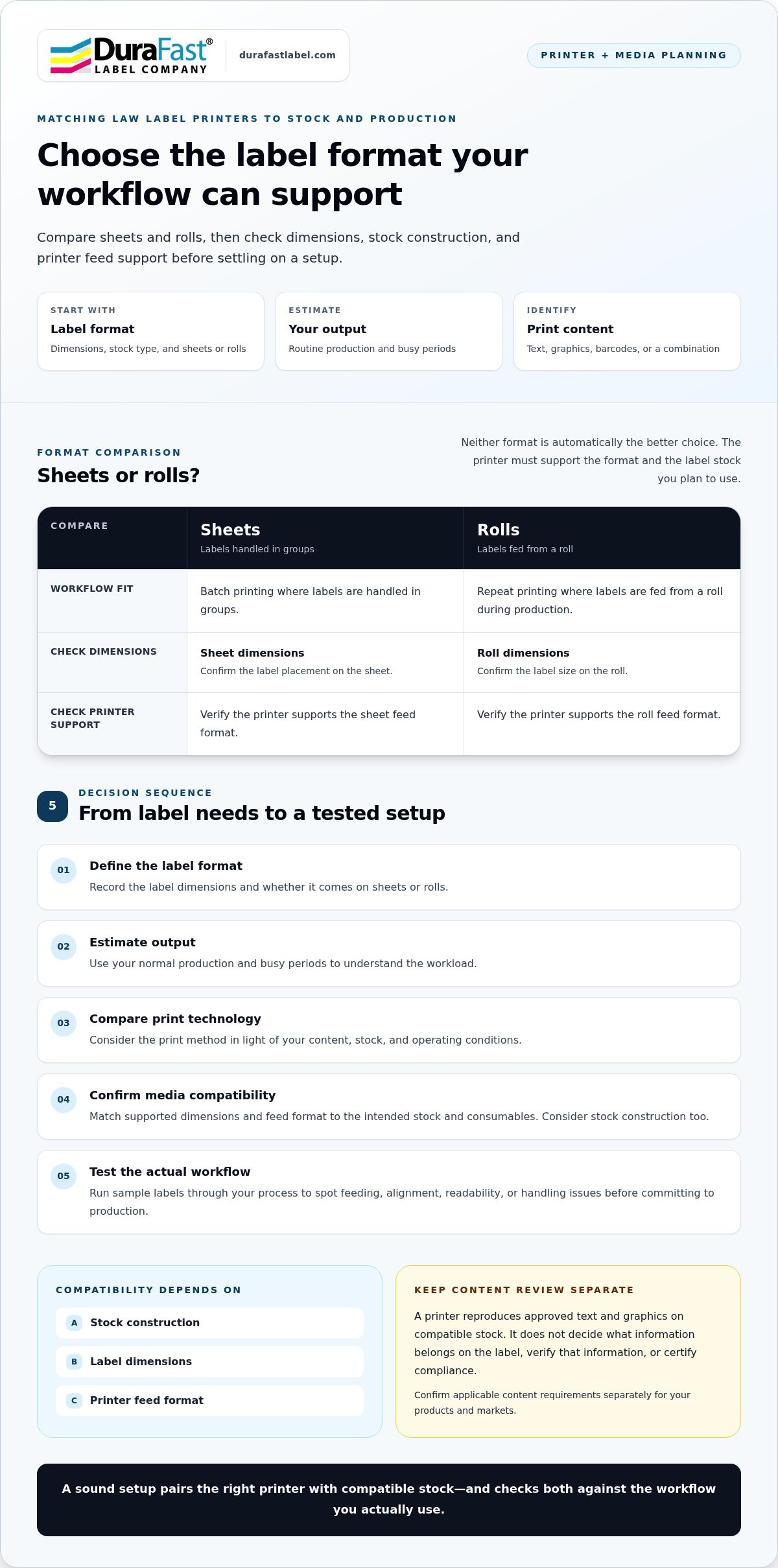
Choose the label format and workflow before narrowing down printer models. A printer may support a particular print method but still be a poor fit if it can’t feed your label’s dimensions or construction. Evaluate label stock and printer as a pair: compatibility depends on the stock’s construction, dimensions, and feed format.
Start with label format, volume, and print content
First decide whether your process calls for sheets or rolls. Then estimate routine and peak output from your own production records, rather than relying on a general volume benchmark. Finally, identify what each label must reproduce: text alone, graphics, barcodes, or a combination. These details help you compare equipment against the work it needs to do.
Use this sequence to organize the decision:
- Define the label format. Record the label’s dimensions and whether it comes on sheets or rolls.
- Estimate output. Use normal production and busy periods to understand the workload.
- Compare technology. Consider the print method in light of your content, stock, and operating conditions.
- Confirm media. Match the printer’s supported dimensions and feed format to the intended stock and consumables.
- Test the workflow. Run sample labels through the actual process before settling on a setup.
Sheets and rolls suit different production routines. Neither format is automatically the better choice. The printer must support both the format and the label stock you plan to use.
| Media format | Workflow it may suit | What to check |
|---|---|---|
| Sheets | Batch printing where labels are handled in groups | Sheet dimensions, label placement, and printer feed support |
| Rolls | Repeat printing where labels are fed from a roll during production | Roll dimensions, label size, and printer feed support |
Check printer and media compatibility before ordering
Compare the printer’s supported media dimensions and feed format with the label you intend to run. Also consider the stock construction and whether the print technology and consumables suit that material. A sample can reveal practical issues, such as feeding or alignment, before you commit to a larger supply. Pillow law labels are one product-specific example to include in this compatibility review.
Keep printer setup distinct from label-content decisions. For background on bedding and furniture labeling, consult IABFLO Uniform Law Labels and Compliance and verify applicable requirements for your products. Once you’ve outlined your format, volume, and media needs, you can discuss your printing needs as you consider compatible equipment and supplies.
Thermal Transfer, Direct Thermal, Inkjet, or Laser: Which Fits Law Labels?
There isn’t one print technology that fits every law-label operation. The right choice depends on the label stock, print format, content, production pace, and conditions the label will encounter. A law label printer can reproduce approved content, but the technology itself doesn’t establish whether that content or the finished label meets applicable requirements.
Compare the options as parts of a complete setup. Ask whether the printer supports your intended media and feed format, whether the supplies suit the stock, and whether the process fits your day-to-day production. Keep content review separate from equipment selection.
When might thermal transfer or direct thermal suit the workflow?
Thermal transfer printing uses a ribbon. The printer applies heat to transfer ink from the ribbon onto the label stock. The ribbon and media need to work together, so consider both when evaluating the setup. Businesses comparing this approach can explore the thermal transfer printer category.
Direct thermal printing works differently: it creates an image on specially treated media without a separate ribbon. The label stock must be designed for this process. For either method, check the printer’s supported media and confirm that the selected supplies suit the material and intended workflow.
When might inkjet or laser label printing be appropriate?
Inkjet and laser options may suit operations that use compatible sheet or other supported label formats. The choice depends on the printer’s media requirements, the label’s construction and dimensions, and the content you need to print. Text-heavy labels may call for different setup considerations than layouts with graphics or barcodes. Don’t assume that a format that fits one office printer will feed correctly through another.
As a third-party example, Ripped Sheets presents law labels for inkjet and laser printers. That illustrates why the intended printer format matters, but it doesn’t establish compatibility with every printer or stock. Verify the specific media and equipment combination before choosing a process.
Use these questions to compare technologies against your actual operating conditions:
- Media: Does the printer support the stock’s construction, dimensions, and feed format?
- Workflow: Does the process fit your batch size, handling routine, and print frequency?
- Content: Can it reproduce the text, graphics, or barcodes your approved artwork requires?
- Supplies: Are the required media and consumables suitable for the selected technology?
Then test a representative label in the intended workflow. Check that it feeds and prints as expected, and review readability after normal handling. A successful test supports an equipment decision, not a compliance determination. Confirm label content and applicable requirements separately using the appropriate regulatory guidance for your products and markets.
How to Prepare for In-House Law Label Printing
A smooth in-house setup starts before you load the first label. Gather the approved content, intended stock, printer details, and production needs so you can test the whole process rather than judge equipment in isolation. A small trial run can expose practical problems early, while content approval remains separate from printer setup.
Use this pre-purchase checklist to prepare:
- Approved content: Have the reviewed source file ready. Keep label-content approval separate from decisions about printer models or settings.
- Sample stock: Obtain a sample of the actual label material and format you expect to use. A substitute may feed or print differently.
- Printer fit: Compare the printer’s supported media and feed path with the sample label’s dimensions and construction.
- Output needs: Estimate normal and peak production from your own records. Include the content you need to reproduce, such as text, graphics, or barcodes.
- Test conditions: Plan to print and handle samples as they would be in your regular production process.
Build a repeatable print-and-check process
Once the setup is ready, run a small test using the approved source file and intended stock. Review alignment and legibility, then check barcode readability if the label uses barcodes. Handle the samples as your team normally would, too. This helps reveal whether the output remains readable through routine handling and whether the labels fit the process.
Keep a sample from the successful test. Record the printer, media, and settings used, along with the source-file version. That record gives staff a practical reference when repeating the job and helps identify what changed if a later print run looks different. If label content needs revision, route the change for appropriate review before replacing the approved file.
Avoid common setup mistakes
Don’t assume every label stock works in every printer or feed path. A sample test is more informative than relying on a general media description alone. Also resist choosing equipment based only on headline speed. Consider the complete workflow, including loading media, preparing print files, checking output, and handling finished labels.
Most importantly, don’t edit required wording or layout as a workaround for a printing problem. Correct the setup issue, and direct questions about required content or jurisdiction-specific obligations to qualified, authoritative sources. A successful print test confirms how the equipment and media perform together; it doesn’t certify that the label’s content meets applicable requirements.
With the content, stock, printer fit, and test plan in hand, you’ll be better prepared to build a consistent in-house process. Discuss your law label printing needs as you evaluate equipment and supplies for your workflow.
Choose Law Label Supplies and Printer Support for Your Next Step
A dependable in-house setup is more than a printer purchase. Match the label format and stock to compatible equipment, then build a repeatable process around the output your operation needs. Consider the supplies that keep the workflow running, too. A printer that fits today’s job but relies on media or consumables that are difficult to manage can complicate routine production.
DuraFast offers law labels, pillow law labels, printer hardware, and related printing supplies. Use those options to plan the complete setup: the label your product needs, the equipment that can print it, and the materials your team will use for consistent output. The printer produces the label; it doesn’t establish whether label content meets applicable requirements.
What to compare when sourcing a complete setup
Compare the printer’s technology and supported media with the label format and production workflow as a group. A roll-based process and a sheet-based process may call for different equipment considerations. Also account for the consumables associated with the chosen print method, including labels and, where needed, ribbons. DuraFast’s thermal label options are one relevant supply category to consider alongside compatible equipment.
Before settling on a configuration, review these elements together:
- Printer technology: Does the process suit the content and the way labels will be produced?
- Media fit: Do the label’s dimensions, construction, and format suit the printer’s supported media?
- Production needs: Does the setup fit routine output and busier production periods?
- Ongoing supplies: Can your team plan for label stock and other required consumables as part of normal operations?
- Repeatability: Can staff follow a documented process to produce and check labels consistently?
As you compare equipment, focus on your own label format and workflow rather than selecting a printer based on a single headline feature.
Take the next step with a defined requirement
A focused discussion is easier when you have the key details ready. Gather your label dimensions, sheet or roll format, stock information, estimated output, and approved label content. If you have a sample or test results, those can help describe how the media and workflow behave in practice. This preparation makes it easier to discuss the equipment and supplies that fit your in-house printing needs.
For wider workflow context, an in-house product label printing guide can help you think through the steps involved in bringing label production into your operation. Keep regulatory content review separate from equipment sourcing, and use appropriate authoritative guidance for questions about requirements.
Contact DuraFast about your label printing setup to discuss equipment and supply needs for your workflow.
Turn Your Printer Plan into a Practical Setup
Your next step is to turn your requirements into a purchasing plan. Gather the label format, stock details, output expectations, and approved content your team will work with. That gives you a clear basis for comparing a law label printer and its supplies, and helps keep equipment decisions distinct from regulatory review.
DuraFast brings relevant options together, including law labels and pillow law labels, thermal and thermal transfer printers, and supplies for in-house production. Think beyond the printer itself: a well-planned setup also accounts for the media and consumables your workflow uses. With those needs defined, you can focus on equipment that fits your operation instead of sorting through options without a clear benchmark.
Ready to map out the next step? Discuss your law label printer and supply needs with DuraFast. A clear starting point can make choosing your in-house setup feel far more manageable.
Frequently Asked Questions
Can I print law labels in-house?
Yes, businesses can print law labels in-house with suitable equipment, compatible stock, and approved content. Before a production run, use a sample of the intended label and verify that it feeds and prints as expected. Keep the approved content file accessible to the people preparing labels, and establish who can authorize revisions. This gives your team a clear handoff between content approval and the routine task of producing labels.
Is a thermal printer suitable for law labels?
It can be, if the printer supports the label format and the media suits its print method. Thermal transfer uses a ribbon; direct thermal printing requires specially coated media. Compare the options based on your label content and production routine, including how you’ll manage the necessary supplies. Before ordering, review the printer and media specifications together. A method that works for one label stock may not suit another.
Can I use any blank law label in my printer?
No. Blank labels vary in dimensions, material, adhesive, and format, and printers have their own media requirements. A useful first step is to compare the label’s product details with the printer’s supported media and feed path. Then print a sample and inspect its placement and readability. Blank stock is only a printing material; using it doesn’t establish that the label’s content meets requirements for your product.
Do law labels have to be printed on Tyvek?
Not as a universal rule based on printer choice alone. The appropriate material depends on the product, its intended use, and applicable requirements. Don’t select a stock simply because it appears in an example for another product. First identify the material requirements for your specific label, then make sure the printer can handle that stock. If requirements are unclear, consult authoritative guidance before finalizing the media.
Can a law label printer print barcodes as well as text?
Some setups can print both, but the result depends on the printer’s capabilities, software, label layout, and media. If your approved artwork includes a barcode, include it in a test print rather than evaluating text alone. Check that the code is clear and scan it with the equipment intended for use. A barcode that looks readable to the eye may still need practical verification before production.
Does buying a law label printer make my labels compliant?
No. A law label printer reproduces the file supplied to it; it doesn’t decide what information a product needs or certify the final label. Have the content reviewed through appropriate authoritative sources for your product and markets. Once approved, test the print output for accuracy and readability. Treat content approval and equipment setup as separate checkpoints, so a successful print run isn’t mistaken for regulatory approval.
How can I reduce misprints when printing law labels?
Use the specified media format and run a short test before a larger batch. If a problem appears, pause production and check the file, feed alignment, and media setup before continuing. Change one setup factor at a time where practical, so you can identify what affected the result. Keep the approved artwork version distinct from working files, and repeat the checks after changing stock or print settings.