FDA Compliant Food Label Printing for Seasonal Products
21st Nov 2026
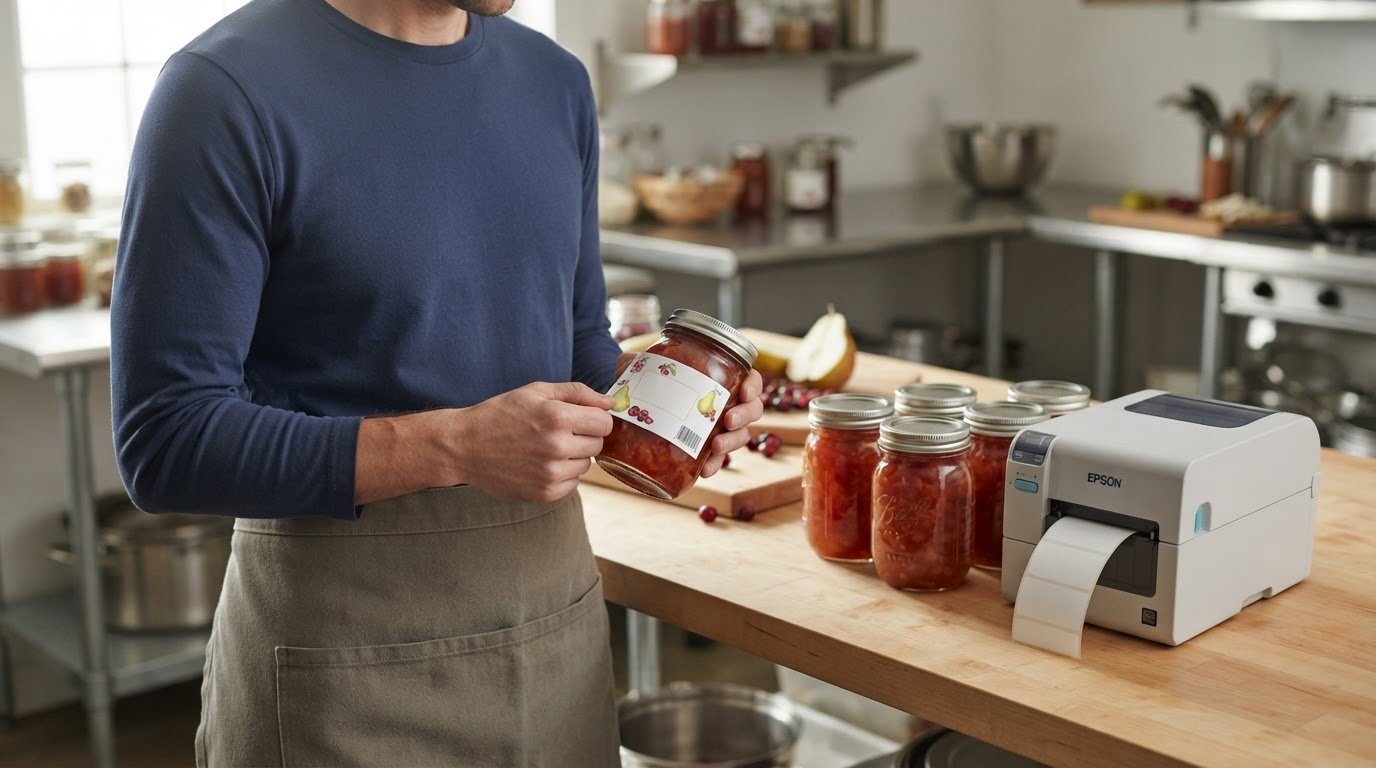
Seasonal products are easier to label when you use a reusable template for each version and print the quantity you need with current product details, lot numbers, dates, and barcodes. Choosing an FDA compliant food label printer is one part of the process; accurate label content and a layout that stays clear and legible matter, too. A flexible setup makes it simpler to manage short runs without rebuilding every label from scratch.
It’s practical to want a dependable process when flavors, ingredients, or packaging change with the season. This guide outlines how to choose a printer, label software, and supplies that fit your workflow and help manage multiple versions.
You’ll also learn what food labels should communicate, how to organize changing details, and what to consider when labels face moisture, refrigeration, or frequent handling. The goal is a setup that supports seasonal production while keeping each version readable and consistent.
Key Takeaways
- Set up reusable label versions so seasonal changes to product details, dates, and lot numbers are easier to manage.
- Match label material to where it will be used, especially if it faces moisture, refrigeration, or direct food contact.
- Connect lot numbers and date codes with product records to support traceability and consistent labeling.
- Choose printing equipment, software, and supplies around your label format, print volume, and changing product information.
- Build clear labels that organize nutrition details, ingredients, allergen declarations, and barcode information.
Why do FDA-compliant food labels matter?
Food labels help consumers understand what they’re buying and help businesses keep product information consistent. A practical labeling setup combines accurate content, readable printing, and a review process for every product version.
Food Labeling Regulations and Resources
For U.S. products, review FDA food-labeling information alongside the actual label and product details. Nutrition information, ingredients, and potential allergens help consumers make informed food choices. FDA labeling standards also include minimum font sizes, mandatory allergen declarations, and consistent formatting for Nutrition Facts panels.
Make those requirements part of a repeatable review. Confirm that the product’s ingredient and allergen details match the label, then inspect the Nutrition Facts panel’s content and layout. When a seasonal recipe changes, update the affected fields before printing the new version. A printer reproduces the supplied design; it cannot verify whether the information is correct.
Regulatory requirements can differ across markets. A label prepared for U.S. sale may need changes before use in another country, including different language or product information. Organize market-specific versions and route each through the appropriate content review. Pillow law labels, for example, belong to a different product category from food packaging, so keep their templates separate.
Common Labeling Violations and Printer Risks
Common risks include missing or inaccurate ingredient and allergen information, errors in nutrition details, and formatting that makes required information difficult to read. A seasonal recipe change can create a mismatch if the package lists new ingredients but the saved label still reflects the previous version. Tie each template to the correct product and revision before production.
Print problems can also make accurate information hard to use. Faded text, smudges, misalignment, or a damaged label can reduce legibility. Before a run, print a sample and inspect small text, Nutrition Facts panel alignment, and allergen wording. Check the finished label again after handling or exposure to the product’s storage conditions.
There is no universal printer certification that makes a finished food label compliant. Treat the printer as a production tool, not as approval of the label or ink. Review the finished design and its materials for the specific product and intended use. A barcode or clear print cannot make incorrect product information accurate.
Build checks into the workflow: select the current product template, review its content, print a sample, and inspect the result before the run. Keep versions distinct when a seasonal product changes. These steps help catch outdated details and print defects before labels reach consumers.
Lot numbers, expiration dates, and traceability
Lot numbers and date fields connect a package to a production run and its product records. A consistent workflow helps seasonal operations update labels without mixing versions.
Lot Number and Expiration Date Labels
A lot number identifies a defined group of product, while a date communicates product timing according to the business’s labeling practice. Keep both fields readable and place them consistently, such as near the product name or in another clearly visible area. For seasonal soup, each production run can carry its assigned lot number and relevant date information.
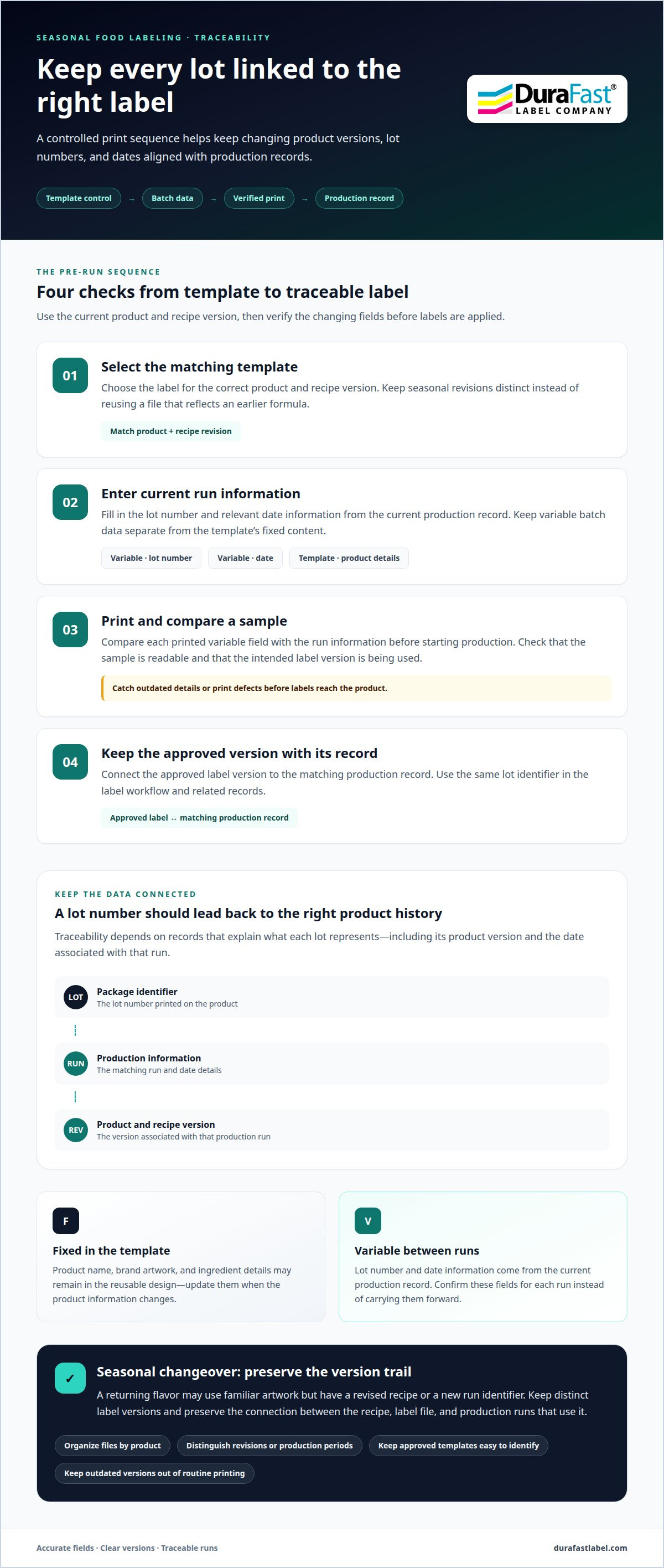
Separate fixed label content from information that changes between runs. The product name, brand artwork, and ingredient details may stay in the template, while the lot number and date are entered for the current batch. This reduces the risk of carrying yesterday’s variable data onto today’s labels.
Use a controlled print sequence:
- Select the template that matches the product and recipe version.
- Enter the lot and date fields from the current production record.
- Print a sample and compare each variable field with the run information.
- Keep the approved label version connected to the matching production record.
For example, a cranberry flavor returning for a new season may use familiar artwork but have a different recipe revision or run identifier. Treat these as separate label versions when the details differ. The printer can reproduce the fields, but the workflow must supply accurate values.
Food Labeling and Traceability
Traceability depends on connecting label details with records that explain what a lot represents. A package’s lot number should lead staff to the corresponding production information, such as the product version and date associated with that run. Use the same identifier in the label workflow and related records.
Recipe and label traceability matter when ingredients change. If a seasonal recipe replaces an ingredient, preserve the connection between the revised recipe, its label version, and the production runs that use it. Don’t overwrite the earlier template without keeping a clear way to distinguish the former version.
Keep a simple version history that records the product, recipe revision, label file, and effective production run. Clear names help staff distinguish “pumpkin soup, revised recipe” from “pumpkin soup, original recipe” when selecting a template. This reduces selection mistakes during busy changeovers.
For multiple seasonal products, organize files by product first, then by revision or production period. Limit access to approved templates and remove outdated versions from routine printing. A brief pre-run review can match the selected file, recipe record, and variable fields before labels are applied.
To discuss ways to organize label printing around changing batches, share your labeling workflow.
Printers, software, and supplies for food labeling
A reliable setup pairs a printer with compatible software and label stock. For seasonal packaging, consider print volume, changing ingredients, and storage conditions together.
Compliant Label Materials and Adhesives
Start with the label’s location and handling conditions. Most product labels go on packaging, while produce stickers and deli wraps can touch food-facing surfaces. Those uses may require materials suited to the specific surface. Match the printer to label stock it can feed and print clearly.
For refrigerated, frozen, or damp settings, choose materials that resist moisture and temperature changes without lifting, smudging, or degrading. A label that prints cleanly at the workstation may still fail after storage or handling. Test the printed label on the intended packaging and inspect adhesion and readability under actual conditions.
Printer compatibility alone doesn’t establish that an adhesive is suitable for food contact. Check the material’s intended use and pair it with the correct printing method and supplies. Consider the label material, adhesive, ink or ribbon, and package surface as one combination.
Direct Food Contact Materials and Adhesives
There isn’t one material-and-adhesive choice for every direct food-contact application. A produce sticker and a label on outer packaging serve different surfaces. Identify whether the label touches food, the contact conditions, and how the product will be stored before selecting stock.
Use materials intended for the particular food-facing application rather than assuming any printable label is suitable. Confirm that the printer can handle the material and produce legible text. For a new label combination, print a sample and assess it on the actual surface before routine production.
Food-contact suitability depends on the material and its intended application, not a printer setting. Keep the material information with the label specification so seasonal reorders use the same approved stock.
Printer, Label, and Ink Costs
There’s no single cost for every food-label setup. Equipment choice, print method, label dimensions, stock, ink or ribbon consumption, and expected production volume all shape operating needs. A short seasonal run has different priorities from recurring packaging production.
Compare the full workflow, not just the printer purchase. Include label stock, compatible ink or ribbon, software, and waste from setup or product changes. For example, frequent ingredient updates may make editable templates useful, while a stable design may need fewer revisions.
Choose a printer based on the label size, materials, color needs, and volume your packaging requires. Then match supplies to the printer and the label’s storage conditions. This keeps the equipment, media, and workflow aligned without relying on a price estimate that ignores your production needs.
For example, frequent label changes can make a compatible workflow and stock planning especially important. The Epson ColorWorks C6000P prints at up to 5 inches per second and supports labels up to 4.24 inches wide. These specifications can help assess whether its output and media capacity suit a seasonal job. Whatever printer is selected, food labels should remain adhered and legible after handling and exposure to moisture and refrigeration.
Barcode and UPC label printing
A barcode can connect a package to product information, while the printed label also carries consumer-facing details. Build barcode production into the product template, then test the printed result before applying labels to packaging.
Keep the barcode value tied to the correct product record. A seasonal flavor, package size, or recipe variation may need its own product identification. For example, don’t copy a barcode from a standard-size jar onto a smaller package unless that identifier is assigned to it. The printed symbol must represent the intended product, not simply look familiar on the label.
Place the barcode where the package gives it enough clear space to scan. Avoid positioning it across a seam, fold, or curved edge that distorts the printed pattern. Keep nutrition details, ingredients, and promotional artwork from crowding the barcode area. A layout that looks readable on screen may become difficult to scan after printing or application.
Use this production check for each new label version:
- Choose the template for the exact product and package.
- Confirm that its barcode value matches the product record.
- Print a sample using the intended label stock.
- Scan the sample with the equipment used in your workflow.
- Compare the scan result with the expected product record.
A scanner test helps catch problems that visual inspection can miss. If a barcode fails, check its print clarity, placement, and product value. Then adjust the label design or print setup and scan another sample. Test each package format, since a label that scans on a flat carton may behave differently on a curved container.
Barcode software can help organize variable fields and product templates. Use clear names for each version, such as “berry jam, small jar” and “berry jam, gift pack.” Keep barcode data separate from editable design elements so artwork changes don’t accidentally replace the product identifier. Restrict routine printing to the current approved template.
For seasonal production, link the barcode, package format, and product record. When an ingredient or nutrition detail changes, update the appropriate label content without unintentionally changing an identifier. Review a fresh sample after each revision. A final scan confirms that the printed barcode leads to the intended record before the run proceeds.
FDA food-label information and formatting
Build each food label around the information consumers need to understand the product. Nutrition information, ingredients, and potential allergens support informed food choices. FDA labeling standards include minimum font sizes, mandatory allergen declarations, and consistent formatting for Nutrition Facts panels. A clean design helps organize these details, but the printed label still needs careful content review.
Start with the product’s approved information, then arrange each field in a stable template. Keep the Nutrition Facts panel together, separate ingredient details from promotional copy, and make allergen declarations easy to locate. For seasonal granola, for example, a recipe update may change ingredients and allergen information. Update the correct fields before production rather than editing a finished label by eye.
Use a repeatable review sequence for each version:
- Match the template to the product and recipe version.
- Compare ingredient and allergen wording with the current product details.
- Review nutrition information and the nutrition facts panel layout.
- Check minimum font-size requirements and overall legibility.
- Print a sample and inspect the complete label at its intended size.
Formatting matters because required information must remain readable on the actual package. A panel squeezed into a narrow space can be difficult to inspect, even if its text looks clear on a large computer screen. Set the layout using the real label dimensions, then check a sample at normal viewing distance. Confirm that small text, allergen declarations, and panel boundaries remain distinct.
Keep one approved template for each product version, rather than saving ambiguous files such as “final” and “final revised.” Use practical names such as “granola, cranberry, current recipe.” When production changes, update the relevant label version and distinguish it clearly from older files. This makes it easier to select the right layout for a seasonal run and reduces accidental reuse of outdated information.
Printer setup affects appearance, not the accuracy of the source content. Confirm that the print is aligned, the text is crisp, and no field is clipped at the label edge. If a Nutrition Facts panel or ingredient line appears crowded, revise the layout before the full run. A printed sample is a useful final check for each package format.
For help matching label layouts and printing needs, discuss your food-label workflow.
DuraFast Label Company: Labelview label design and barcoding software
DuraFast Label Company offers Labelview label design and barcoding software for businesses managing changing product labels. It can support workflows that need organized designs and barcode content across seasonal versions.
Pairing software with suitable equipment and supplies helps bring the workflow together as an ideal FDA compliant food label printer solution. Options include the Epson ColorWorks C6000A and DuraFast Matte Chemical Labels. The right combination depends on your label design, printing needs, and packaging application.
If you’re planning a seasonal labeling setup or refining an existing one, contact DuraFast Label Company to discuss your needs.
Build a seasonal labeling workflow that can adapt
Seasonal production keeps changing, so make label updates part of the product-change process. A new flavor, package, or recipe revision can affect artwork, product information, and print settings. Keep a clear path from approved label file to finished print, and make each new version easy for your team to identify.
An FDA-compliant food label printer is one part of that setup. Match equipment and supplies to your label format and workflow. DuraFast Label Company offers the Epson ColorWorks C6000A, Afinia L801 Color Label Printer, and DuraFast Matte Chemical Labels, alongside label design and barcoding software. These options give you a place to start when planning a seasonal labeling setup.
Choose your next step based on what changes most often: label designs, variable information, print volume, or materials. A focused review can help clarify which parts of your workflow need attention before the next product run. Contact DuraFast Label Company to discuss your food-label printing needs and move forward with confidence.
Frequently Asked Questions
How can I print multiple versions of labels for seasonal or short-run products?
Save a separate, clearly named file for each product version, then print only the quantity needed for that run. For example, keep distinct files for a summer berry flavor and its autumn recipe update. Before printing, compare the selected file with the current product record and planned package. This makes short runs easier to manage and helps prevent leftover labels from an earlier season being used by mistake.
What information must appear on an FDA-compliant food label?
Food labels should provide nutritional information, ingredients, and potential allergens to help consumers make informed choices. FDA labeling standards also address minimum font sizes, allergen declarations, and consistent Nutrition Facts panel formatting. Apply these details to the specific product version, not similar artwork. For example, a recipe change may affect ingredient and allergen statements, so review the corresponding label before use.
How do thermal, inkjet, and color laser printers compare for food labels?
Thermal printers create images using heat, inkjet printers apply ink, and color laser printers use toner. The right approach depends on whether labels need color artwork, variable information, or both. Consider the label material and packaging conditions, too. Compare sample prints on the intended stock, including small text and barcodes, before selecting a production method. Printer type alone doesn’t establish whether label content or material is suitable.
What are the best FDA-compliant food label printers for small businesses?
There isn’t one best printer for every small business; the best fit depends on label design, print volume, and media needs. DuraFast Label Company offers the Zebra ZT411 Thermal Transfer Printer as one equipment option. To narrow your choice, define the label dimensions, whether color graphics are needed, and how often product details change. Then compare the printer’s supported media and workflow with those requirements.
How do I create and print an FDA-compliant food product label?
Start with the product’s approved information and build a layout around its intended package. Review nutrition details, ingredients, allergens, and panel formatting, then save the file with a product-specific name. Print a sample and inspect its text and layout at actual size. Before production, compare the sample with current product information and confirm that the chosen file matches the item being packaged.