Health Canada Compliant Cannabis Label Printer for Small-Batch Runs
18th Nov 2026
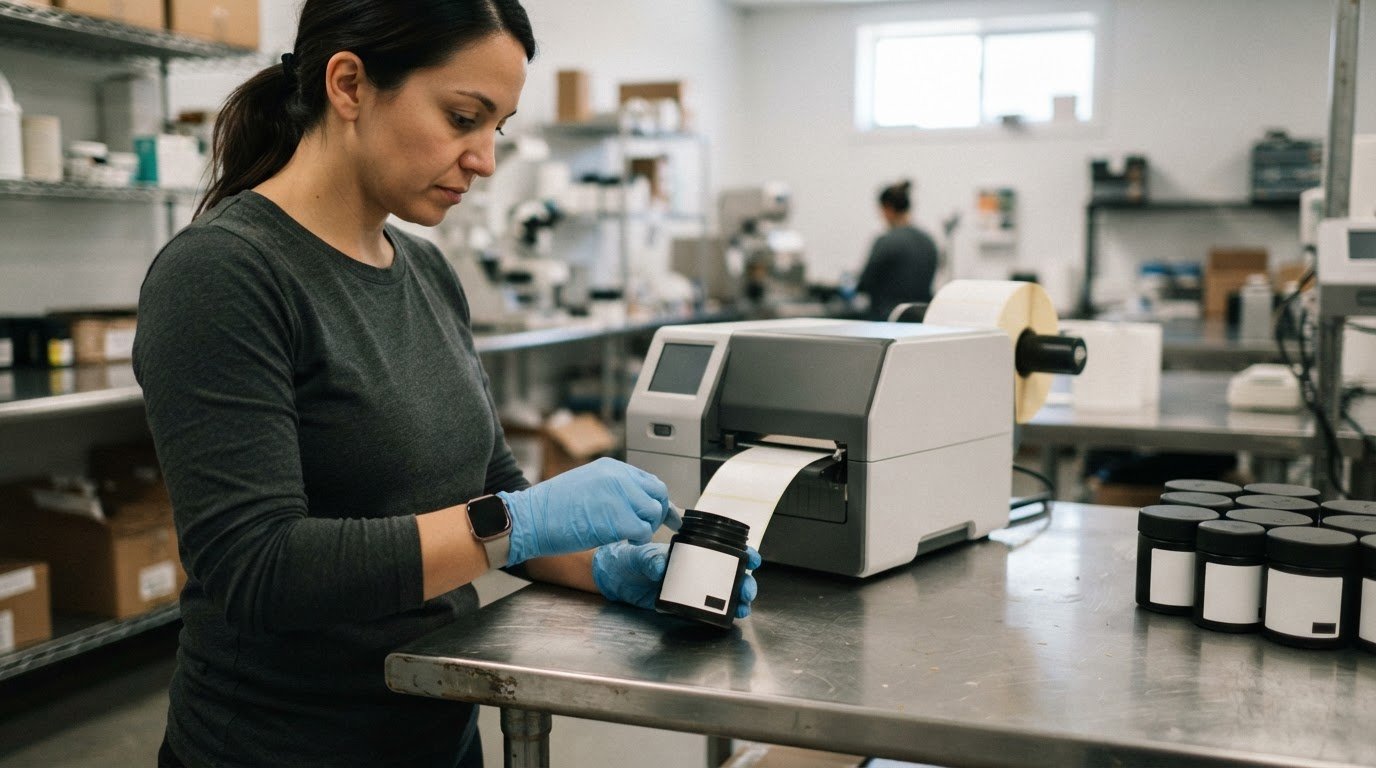
The right cannabis label printer for a U.S. operation depends on your label design and production workflow. The printer supports the process, but compliance also depends on the label content and applicable state requirements.
It makes sense to focus on print quality and production volume when choosing equipment. Cannabis labeling requirements in the United States vary by state and product type, and labels may also need to accommodate details that change between batches, such as lot numbers and product information.
This article explains how to assess the Epson ColorWorks C6000A for small-batch cannabis label printing, organize variable batch data, and consider state- and product-specific label needs. You’ll get a clearer view of the printer decision and the review steps that help prepare each label for its intended market.
Key Takeaways
- Match your printer choice to your batch size, label format, and production workflow.
- Plan label space for required English and French information while keeping the design legible.
- Separate fixed label content from batch-specific details to make updates easier to manage.
- Consider how label design software and printer hardware work together in an in-house setup.
- Review label templates when product information, regulations, or internal processes change.
Canadian cannabis packaging and labelling regulations
For Canadian cannabis businesses, labeling requirements depend on the product and applicable regulations. A printer produces the label, but it does not determine which rules apply. Identify the product category and required content for each run, then build the label accordingly. Don’t reuse artwork just because it worked for a different product.
Keep the label design organized so required content has a clear place. Product information, warnings, business details, and batch fields may all need space, depending on the applicable rules. Requirements can differ between product types, so separate templates can help avoid carrying information from one category into another. Review each template against its intended product and market before production.
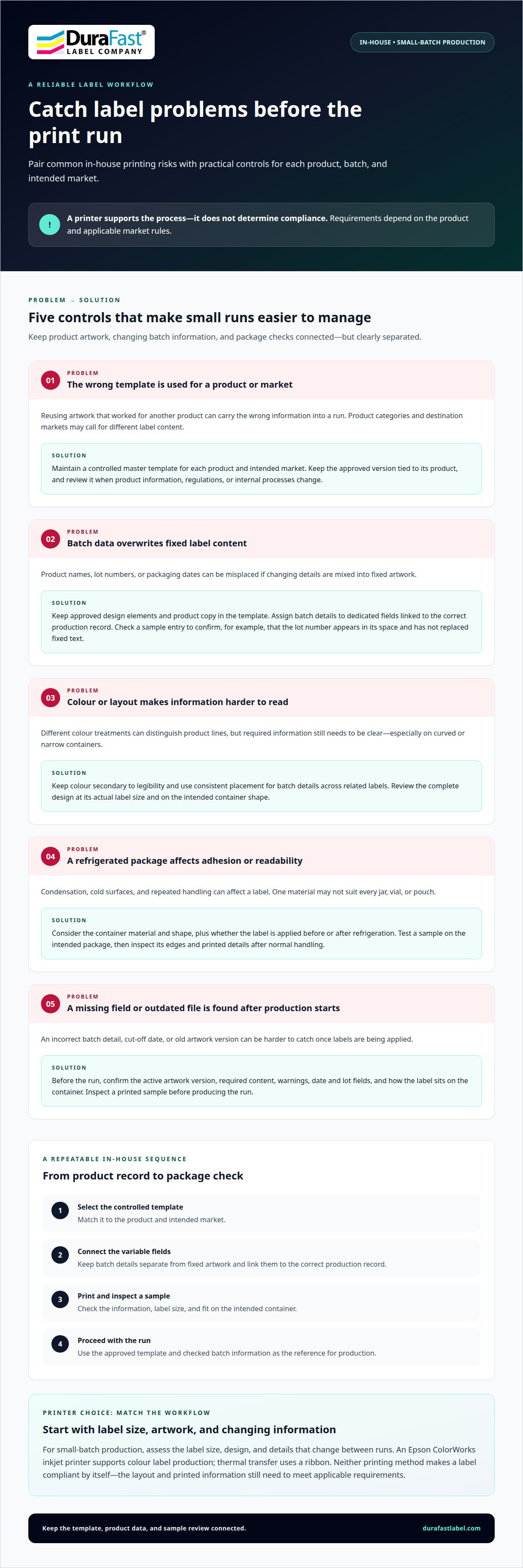
Handle packaging dates, lot numbers, and expiry information carefully. Required fields depend on the product and applicable rules. Keep changing batch details separate from fixed artwork, and connect each variable field to the correct product record. A sample print can reveal a missing lot number, a cut-off date, or information pulled from another product.
Rules can change, and a label that suited an earlier run may need revision. Keep controlled artwork versions and record which template belongs to each product and market. Before production, compare the active version with current requirements for that product. This reduces the chance that staff use an outdated file or apply one regional layout to a product intended for another market.
Child-resistant and tamper-evident packaging requirements are separate from printer capabilities. Their applicability depends on the product and relevant regulations. A printed label or seal graphic does not establish that packaging meets a requirement. Review the container, closure, label, and application process as distinct parts of the package.
What are common cannabis labeling compliance risks and penalties in Canada? Risks include using a label that does not meet the applicable requirements or carrying incorrect batch information into production. Consequences depend on the governing rules and circumstances, so don’t assume one situation determines the outcome for all products.
Make the pre-production review specific to the product and destination market. Confirm the active artwork version, required content, warnings, date and lot fields, and the way the label sits on the container. Then inspect a sample before printing the run. DuraFast Label Company helps Canadian businesses maintain compliance, and keeping the approved template and its associated product data together ensures changes are easier to track so staff can distinguish current files from older versions.
In-house label printing for licensed producers and small-batch cannabis
In-house printing lets licensed producers prepare labels as products and batches move through production. For a small run, a reusable template can keep the design consistent while staff update product names, lot numbers, or packaging dates. This approach can reduce the need to hold finished rolls for every variation. It also calls for clear file control, so operators select the right template for each product and intended state market.
On-demand variable printing works best when fixed artwork and changing information use separate fields. Keep approved design elements and product copy in the template. Assign batch details to dedicated fields and connect each one to the correct production record. Review a sample entry before printing. For example, confirm the lot number appears in its designated space and has not replaced a product name or other fixed text.
Colour can distinguish products, but keep it secondary to clear information. Use consistent placement for batch details across related labels so staff can find them quickly. Different colour treatments can help distinguish product lines, but should not make required text harder to read. Check the complete design at its actual label size, including on curved or narrow containers.
Refrigerated products need label materials suited to the package and handling conditions. Condensation, cold surfaces, and repeated handling can affect adhesion or readability. Consider the container material and shape, and whether the label is applied before or after refrigeration. Test a sample on the intended package, then inspect its edges and printed details after normal handling. Don’t assume one material suits every jar, vial, or pouch.
Product-specific label content also deserves separate templates. A label for an edible may need different product information from one for a topical or extract, depending on the destination state’s requirements. Keep templates tied to both product category and market. When product information, internal processes, or regulations change, review the affected artwork before the next run instead of carrying forward an outdated version.
A repeatable in-house workflow connects product data, artwork approval, print testing, and package application. Maintain a controlled master template for each product and intended market. Record which fields change between batches, then inspect a printed sample before producing the run. This makes errors easier to catch before labels are applied and gives staff a consistent reference for future runs.
If refrigerated packaging or changing product details make setup more involved, discuss label-printing options as a next step.
Which ColorWorks printer should I choose for cannabis label printing?
For small-batch production, choose a printer based on label size, artwork, and the information that changes between runs. An Epson ColorWorks inkjet printer supports colour label production, while thermal transfer uses a ribbon. Neither method makes a label compliant by itself. The layout and printed information must still meet applicable Canadian requirements.
How do thermal transfer and inkjet printers compare for cannabis labels? Thermal transfer uses a ribbon to print on a label, while inkjet places ink directly on its surface. Inkjet suits colour branding; thermal transfer may suit workflows focused on text or codes.
Legibility deserves attention on compact packages. Cannabis labels may be under 1 inch, leaving little room for bilingual copy, batch information, and graphics. Keep label text legible at the finished size, especially on compact packages. Treat that as a layout challenge, not permission to shrink every required text element. Required cannabis label text generally has a 6-point minimum unless otherwise specified.
Assess the complete design at its actual size using a sample label. Check that letters remain distinct, numbers are easy to read, and branding does not crowd required information. For example, a batch field beside a dense warning block may be difficult to scan. Adjust spacing and hierarchy before printing a run. Review the sample on the intended container, since curvature and placement can affect readability.
Font and design decisions also affect regulatory accuracy. As of March 12, 2026, cannabis labels in Canada cannot display actual THC or CBD concentration in bold font. Keep these values in the correct style within the approved layout. Avoid decorative fonts for regulated text, and use a consistent type treatment for English and French content. A visual emphasis that looks attractive can still create a formatting problem.
Software compatibility matters because the design file must reach the printer with text, graphics, and variable fields intact. Confirm that the workflow preserves fonts and alignment, then test a file containing both languages and a sample lot number. Check for missing characters, shifted text, or overlapping fields. A template that looks right on screen may need adjustment to fit the physical label.
Choose a printer based on the workflow, not a single feature. Match the technology to the role of colour, label format, and frequency of artwork changes. Then test a full-size sample with the actual content and container. This reveals whether the design remains legible after printing and application, before the template is used for a production batch.
Mandatory label information and bilingual formatting
Canadian cannabis labels combine product details, warnings, and category-specific information. Organize the content by product type before setting the label format.
Mandatory Label Information
Mandatory label information includes product and safety content required for a cannabis package, with details that depend on its category. An edible, extract, or topical may need different information. A label may include THC and CBD values, a lot number, manufacturer information, warnings, and an expiry date. Edible cannabis labels must include ingredient lists and allergen declarations, as well as a nutrition facts table.
Plan content around the product instead of copying one template across every line. An edible needs space for its ingredient list and allergen declarations; an extract also needs its applicable expiry date. An irradiated edible must show the international radiation symbol and a statement such as “irradiated” on the principal display panel. These examples show why category-specific fields belong in approved artwork, not as a generic afterthought.
English and French Formatting
Bilingual formatting presents mandatory cannabis label information in both English and French. Both language versions need to remain clear within the same package layout. Treat each language as essential content, not optional small print. A format that fits English copy alone may crowd French text or disrupt the placement of warnings and product values.
Use paired content fields in the template so each English item has its French counterpart. Keep related information together, such as product descriptions and corresponding values. This makes omissions easier to catch during artwork review. Check the printed label for line breaks, clipped text, and crowded spacing in both languages, especially on narrow containers.
Warnings need clear placement and consistent treatment across the bilingual design. Canadian cannabis health-warning messages must appear in the required format, including on products packaged after January 1, 2026, when updated government-approved messages apply. Leave enough room for the full message in both languages. Do not let branding or decorative elements reduce its visibility.
Plan the principal display panel before adding secondary information. The standardized cannabis symbol belongs in the panel’s top-left corner. Reserve distinct areas for the symbol, warnings, bilingual product details, and variable batch data. This helps staff update lot information without shifting approved content or obscuring another required element.
Readability also affects consumer appeal. Use a consistent hierarchy for headings, product values, and supporting details, while keeping required text easy to distinguish. Review both language versions at the final label size, not only on a large design screen. Check that ingredient and allergen details remain intact and translated fields match the intended product information before printing.
Health Canada label compliance and variable batch data
Before production, review the approved artwork, check each variable field, and print a sample for inspection. Compare it with the intended product data, then confirm required text, symbols, and placement remain legible. These checks help catch template and data errors before labels reach packaging.
Separate fixed artwork from batch-specific information. Fixed elements include bilingual text, warnings, and product instructions. Variable fields may include the lot number, packaging date, THC content, and CBD content. Map each field to the correct data source so one batch’s values don’t carry into another run. This distinction also makes template changes easier to review.
Use a controlled data file for each production run. Match its product identifier to the label template, then review a sample record before printing. Confirm that the lot number and date appear in their intended fields, and that THC and CBD values match the correct product. A shifted column or missing value can produce a clean-looking but inaccurate label.
What steps help verify cannabis label artwork and print compliance before production? Review current artwork and product-specific content, validate variable data, and inspect a printed sample at actual size. Confirm that bilingual text, warnings, symbols, and batch fields appear correctly before releasing the production run.
Make the sample review specific. Check that small characters remain readable, the date follows YYYY-MM-DD, and the lot number has not been truncated. Compare the English and French text, and check that required content has not shifted during software rendering. Test placement on the actual container, since a curved surface can affect readability.
Version control matters when product information or requirements change. Keep one approved master for each product, identify its revision, and retire superseded files from active production. The Cannabis Act requires cannabis packages to be trackable from seed to sale. A consistent lot-number field helps connect printed package information with batch identification in the production workflow.
QR codes need content review too. In Canada, material accessible through a cannabis product QR code is subject to the Cannabis Act and its regulations, including restrictions on cannabis promotion under Part 6.1. Treat the code destination as part of the label review, not as an unrelated marketing detail.
For help matching a label-printing workflow to variable batch data, contact the label printing team.
DuraFast Label Company: Labelview label design and barcoding software
DuraFast Label Company offers Labelview label design and barcoding software for teams building repeatable label layouts and barcode workflows. It can fit an in-house process where fixed label content needs to stay consistent while batch details change. Pair the software with a printer suited to the label workflow, such as the Epson ColorWorks C6000A or other compatible printing systems.
For small-batch production, the right setup depends on label design, variable data, and the material applied to the package. DuraFast offers Matte Chemical Labels as one option in its label selection. The company also supplies printing hardware and label stock, supporting the production workflow without replacing regulatory review.
If you’re planning an in-house cannabis label workflow, contact DuraFast Label Company to discuss the relevant products.
Build a label workflow that’s ready for the next run
The next step is to turn label decisions into a repeatable production workflow. Consider how your team will manage artwork, changing batch data, label stock, and print setup as products evolve. A Health Canada compliant cannabis label printer is one part of that workflow; clear templates and a consistent review process matter too.
DuraFast Label Company offers the Epson ColorWorks C6000A, Afinia L801 Color Label Printer, and DuraFast Matte Chemical Labels. These options can help you shape an in-house setup around your printer and label needs. The right fit depends on how your labels are designed, produced, and applied.
Have a printer or label workflow in mind? Contact DuraFast Label Company for printer advice to discuss your next step. A clear plan can make each small-batch run easier to prepare.
Frequently Asked Questions
Can I print THC and CBD percentages as variable data?
Yes, THC and CBD values can be handled as changing label data, but their formatting matters. As of March 12, 2026, Canadian cannabis labels cannot display actual THC or CBD concentrations in bold font. Keep these values in regular type in the approved layout. For a batch change, map each value to the correct product record, then inspect a sample to catch mismatched data or unexpected text flow.
Can these printers output QR codes and barcodes for cannabis traceability?
Label printers can be used in workflows that include barcode or QR-code artwork, provided the design software and printer setup support the code format. Canadian containers may display one or two barcodes, including a QR code, and each may appear only once. Barcodes must be black and white. Content reached through a cannabis QR code is also subject to restrictions on cannabis promotion under Part 6.1.
Does the ink cost a lot per label?
Ink cost per label depends on the printer, label dimensions, print coverage, and how often artwork changes. A mostly text-based design uses a different amount of ink than a label with large colour areas. Compare expected designs and batch volumes rather than relying on a single estimate. For a realistic projection, base the calculation on the specific printer, artwork, and label stock used in your workflow.
What labeling requirements does Health Canada impose on cannabis products?
Canadian cannabis packaging and labelling is governed by the Cannabis Act and Cannabis Regulations. Requirements cover package information, warnings, symbols, and product-specific details. For example, edible cannabis has ingredient and allergen declaration requirements, while expiry dates apply to edibles, topicals, and extracts. Requirements vary by product type, so a template for dried cannabis should not automatically serve as the master for an edible or topical.
What information must appear on a Canadian cannabis product label?
Required information depends on the product, but label content may include THC and CBD values, a lot number, manufacturer information, warnings, and an expiry date where required. Edible cannabis labels need ingredient and allergen information, as well as a nutrition facts table. A useful template separates stable product copy from batch-specific fields, making it easier to update a lot identifier without changing unrelated text or artwork.
What label size, font, contrast, and placement rules apply to cannabis packaging in Canada?
Canadian requirements include a standardized cannabis symbol measuring at least 1.27 cm by 1.27 cm, with a white border of at least 2 points. The symbol belongs at the top left of the principal display panel. Health warnings use black text on a yellow background within a rectangular border, and required warning text must be at least 6 points. Check the final label at its actual size and on its container.
Do Health Canada cannabis labels require specific warnings, symbols, or bilingual text?
Yes. Mandatory cannabis label information must appear in both English and French, and applicable health warnings and the standardized cannabis symbol must follow their required presentation. For products packaged after January 1, 2026, updated government-approved health warning messages must appear on labels. Review each language version and warning in the final artwork. A cramped translation or an outdated warning can make a template unsuitable for a new production run.
Which label printers support compliant cannabis labels in Canada?
No printer alone makes a label compliant; the artwork, content, materials, and production review matter too. For in-house printing, DuraFast Label Company offers the Epson ColorWorks C6000A and Afinia L801 Color Label Printer, along with DuraFast Matte Chemical Labels. Choose a setup around your label format, colour needs, and changing batch information, then test the complete label before production.